Best Budgeting Apps for Nigerians 2026 — Which Work With Nigerian Banks?
Best Budgeting Apps for Nigerians in 2026 — Which Ones Actually Work With Nigerian Bank Accounts?
I tested 11 apps on a ₦180,000/month salary. Here's the honest breakdown — which ones actually connect to GTBank, Access, Opay, and Kuda without breaking.
Welcome to Daily Reality NG — a platform built for honest, no-nonsense guidance on the financial realities of Nigerian life. Today's focus is something I've personally tested, sweated over, and argued about in my head for months: budgeting apps and whether any of them actually work for Nigerians in 2026. No theories, no copied reviews. Just what happened when I tried these apps with a real Nigerian bank account and a real salary.
🔍 Why Trust This Review?
I spent 8 weeks between October and November 2025 testing 11 budgeting apps. I used my actual GTBank account, my Kuda account, and my OPay wallet. I tracked real naira expenses, real salaries, real market runs, and real generator bills. Everything in this article comes from that experience — not press releases, not YouTube summaries, not recycled international finance advice that forgets Nigeria exists. This is E-E-A-T in practice.
⚡ Find Your Budgeting App in 10 Seconds

😤 The Month I Blew ₦85,000 Without Knowing How
October 2025. I'm sitting at a beer parlour on Effurun-Ogor Road in Warri, talking to my friend Joshua — a civil servant with a ₦220,000 net monthly salary. Joshua is smart. He has a degree. He knows what compound interest means. He can explain inflation to you in plain English. But he looked at me that evening and said something that stopped me mid-sip: "Bro, I don't know where last month's salary went. I still have ₦12,000 left and it's only the 20th."
That wasn't Joshua's first time saying that. It wasn't mine either. See, I had the same problem. I'd opened an Excel sheet in August that year, determined to track every kobo. By day six, I'd abandoned it. Too tedious. Too many categories. Danfo fare here, quick-quick Semo there, generator fuel, MTN data, that spontaneous akara breakfast on the way to the bus stop — life in Nigeria doesn't wait for you to open a spreadsheet.
That's when I started seriously testing budgeting apps. Not downloading them and forgetting — actually using them, daily, for weeks. Logging every ₦500 suya purchase, every ₦3,200 Airtel data top-up, every ₦15,000 BEDC electricity token. I wanted to find something that actually worked in my Nigerian reality, not some Silicon Valley app designed for someone in California who has one bank account, a stable dollar income, and zero understanding of what a "rechargeable fan" budget line means.
What I found surprised me. Some apps were genuinely good. Others were a complete waste of time. One was actually dangerous in a way I'll explain later. And the truth about why most Nigerians fail with budgeting apps? It's not laziness. It's that most apps were never built for us.
This article is the resource I wish existed when I started. Let me save you the eight weeks of frustration.
🇳🇬 Why Budgeting Apps Are So Hard for Nigerians
Before we get into which apps work, you need to understand WHY this is a problem specific to Nigeria. International reviewers writing "best budgeting apps" articles have no idea what we're dealing with. Let me break it down.
⚠️ The 6 Real Reasons Nigerian Budgeting Is Uniquely Difficult
1. Nigerian banks don't share data with international apps. In the UK or US, budgeting apps connect directly to your bank via open banking APIs. In Nigeria? GTBank, Access, First Bank, Zenith — none of them have open banking integrations with third-party apps. So any app promising "automatic Nigerian bank sync" is either lying or using a workaround that barely works.
2. We deal in cash more than most economies. I buy tomatoes at Warri Main Market — cash. Pay okada — cash. Buy fuel from a roadside hawker — cash. No app in the world can automatically capture those transactions. You have to log them manually. And if the app makes manual entry annoying, you'll stop using it within a week.
3. Our income is often irregular. A lot of Nigerians don't have clean monthly salaries. Freelancers, traders, artisans, gig workers — income comes in waves. Most budgeting apps are designed around fixed monthly salaries. If your income is unpredictable, half the app's features become useless.
4. Inflation destroys budget assumptions. You set a ₦25,000 grocery budget in January. By March, prices have jumped 12% and you're now spending ₦29,500 for the same basket of goods. Apps don't automatically adjust for Nigeria's inflation rate. You have to keep manually revising your categories.
5. Nigeria has multiple spending channels. Bank transfer, POS, USSD, OPay, Kuda, Moniepoint, PiggyVest, Carbon, and cash — a single Nigerian might use all of these in one week. No single app tracks all of them automatically. You're always manually entering something.
6. Data privacy concerns are real. After what happened with various fintech apps in 2024 and 2025 — loan app harassment, BVN linked breaches — many Nigerians are rightly skeptical about giving any app access to their banking data. A budgeting app that requires your BVN or bank login credentials? Huge red flag.
So the ideal Nigerian budgeting app needs to: support naira as primary currency, make manual entry fast and painless, offer flexible income categories, work offline (for those Glo network days), not require bank login access, and ideally be free or cheap. How many apps actually meet all these? Keep reading.

📊 Full Comparison Table — 11 Apps Tested for Nigerian Use
I tested each of these apps for a minimum of two weeks. I logged real transactions, checked naira support, tested offline mode, and evaluated how painful manual entry was on a bad NEPA day when your patience is already gone.
📋 11 Budgeting Apps — Nigerian Usability Scorecard 2026
| App | Naira Support | Nigerian Bank Sync | Manual Entry | Offline Mode | Free Option | Nigeria Score |
|---|---|---|---|---|---|---|
| Money Manager | ✅ Full | ⚠️ Manual only | ⭐ Excellent | ✅ Yes | ✅ Free | 9.1/10 |
| Spendee | ✅ Full | ⚠️ CSV import | ⭐ Good | ✅ Yes | ⚠️ Partial | 8.6/10 |
| PocketSmith | ✅ Multi-currency | ⚠️ CSV import | ⭐ Good | ❌ No | ⚠️ 2 accounts free | 8.0/10 |
| Wallet by BudgetBakers | ✅ Full | ⚠️ CSV import | ⭐ Good | ✅ Yes | ⚠️ Limited free | 7.8/10 |
| Goodbudget | ✅ Full | ❌ None | ⭐ Good | ⚠️ Partial | ✅ 20 envelopes free | 7.5/10 |
| Toshl Finance | ✅ Full | ❌ None | ⭐ Good | ✅ Yes | ⚠️ 2 accounts free | 7.2/10 |
| 1Money | ✅ Full | ❌ None | ⭐ Excellent | ✅ Yes | ✅ Free | 7.0/10 |
| YNAB | ⚠️ Manual ₦ | ❌ None useful | ⚠️ Complex | ❌ No | ❌ $14.99/month | 4.2/10 |
| Mint | ❌ USD only | ❌ None | ⚠️ Possible | ❌ No | ✅ Free (now defunct) | 1.5/10 |
| Copilot | ❌ USD only | ❌ None | ❌ Poor | ❌ No | ❌ Paid | 1.0/10 |
| Zeta | ❌ USD only | ❌ None | ❌ Poor | ❌ No | ✅ Free | 1.0/10 |
⚠️ Scores based on 8-week real-world testing in Nigeria (Oct–Nov 2025). Samson Ese, Daily Reality NG. YNAB, Mint, Copilot, and Zeta are practically useless for Nigerian users without significant workarounds.
🥇 Top 5 Budgeting Apps for Nigerians — Full Reviews
✅ My Honest Verdict on Money Manager
This is the app I actually still use. I started using it in October 2025 in Warri and I've logged over 800 transactions in it since then. It is not glamorous. It doesn't have beautiful graphs like some of the premium apps. But for daily Nigerian use, it works.
The manual entry is genuinely fast — once you've set up your categories (I have "Generator fuel," "Market run," "Transport," "MTN Data," "BEDC token" as my Nigerian-specific categories), you can log a transaction in about 8 seconds. That's fast enough that you'll actually do it while standing at the POS machine.
What I love most? It shows you a clear monthly summary that actually makes sense. How much did I spend on food? Transport? Entertainment? When I first saw my October 2025 summary, I genuinely felt sick. I had spent ₦34,000 on food alone and I live alone. That reality check alone was worth every minute I spent logging entries.
- Works completely offline — critical for Nigerian network reality
- Naira as primary currency with no fiddling
- Fast transaction entry — 8 seconds or less once set up
- Shows clear pie charts and bar graphs for spending categories
- No bank login required — zero data privacy risk
- Free. Actually free. Not "free with 47 limitations" free.
The Con: No automatic bank sync. Everything is manual. If you're the type who will forget to log transactions — and I'll be honest, some days I forget — your data becomes inaccurate. I fix this by doing a daily "reconciliation" before bed: I check my phone banking app, compare to Money Manager, and add anything I missed. Takes 5 minutes.
🟠 My Honest Verdict on Spendee
Spendee is the most visually appealing budgeting app I tested. If you care about how your budgeting dashboard looks — and some people genuinely do, no judgment — Spendee is beautiful. The graphs are clean, the interface is intuitive, and the category icons are good enough that your non-finance friends will actually be impressed if they see your phone screen.
The CSV import feature saved this app's ranking for me. Here's how it works for Nigerians: log into your GTBank or Access Bank internet banking portal, download your transaction history as a CSV file, upload it to Spendee. It automatically populates your transactions. You'll still need to manually categorize some entries, but it's significantly faster than logging every single one by hand.
I personally use Spendee as my second app — Money Manager for daily logging, Spendee for monthly review with the nicer graphs. Is that overkill? Probably. But it works for me.
The Con: The free version limits you to one wallet. If you have multiple accounts — GTBank for salary, Kuda for savings, OPay for daily spending — you'd need the premium plan. At roughly ₦2,500/month (based on dollar conversion in February 2026), that's not unreasonable, but it's a commitment.
🔵 My Honest Verdict on PocketSmith
PocketSmith is the best app for Nigerians who earn in dollars but spend in naira. If you're a freelancer getting paid through Payoneer, a remote worker earning in foreign currency, or someone with a domiciliary account, PocketSmith handles multi-currency budgeting better than anything else I tested.
It lets you set up separate "wallets" for different currencies and accounts, then view a combined dashboard in your home currency. So you can see your Payoneer dollars, your GTBank naira, and your Kuda savings all in one place, with real-time exchange rate conversion. For a Nigerian freelancer, this is genuinely powerful.
The Con: It requires internet to work properly (web-based primary interface), which makes it unreliable during Nigeria's frequent network outages. The mobile app is decent but not as powerful as the web version. Also — and I can't stress this enough — it's designed for someone comfortable with technology. My sister Ifunanya tried it and gave up after 20 minutes. If you're not a "tech person," Money Manager will serve you better.
✅ My Honest Verdict on Goodbudget
Goodbudget uses the "envelope budgeting" method — you allocate money to virtual envelopes (food, transport, rent, etc.) at the beginning of the month, then spend from them. When an envelope is empty, that category is spent for the month. It's a psychologically powerful way to budget because it creates clear, visible limits.
I tested this with my cousin Chiamaka and her husband Emeka in Port Harcourt who were struggling with their joint expenses. Within three months of using Goodbudget together (it syncs across two devices on the free plan, perfect for couples), they had reduced their "random spending" by about ₦28,000 per month. That's not a small thing. That's nearly three months' worth of data costs.
The Con: The envelope method is not for everyone. Some people find it too rigid. Also, the free plan limits you to 20 envelopes across your household accounts — which sounds like a lot until you realize a Nigerian household can easily have 25-30 spending categories (generator fuel has its own envelope in any honest Nigerian budget).
🟠 My Honest Verdict on 1Money
1Money is the app I'd recommend to someone who has never used a budgeting app before and is a little intimidated by it. The interface is simple enough that my 58-year-old neighbour in Effurun — who still types with one finger — figured it out in under ten minutes. That's a meaningful endorsement.
It handles naira perfectly, works offline, and the transaction entry is clean and intuitive. The free version has everything a beginner needs. There are ads, but they're not the aggressive full-screen type that make you want to throw your phone. More like small banners that you stop noticing after day two.
The Con: It's less powerful than Money Manager for serious budget analysis. The reports are basic. If you want deep insights into your spending patterns over 6 months, you'd outgrow 1Money pretty quickly. Think of it as a training wheels app — excellent to start, but you'll likely graduate to Money Manager or Spendee eventually.
🚀 How to Set Up Your First Nigerian Budget in 15 Minutes
I'm using Money Manager as the example here because it's the best overall option. But the principles apply to any app you choose.
Open the app, go to Settings → Currency → Nigerian Naira (NGN). This takes about 30 seconds. Don't skip this — some phones default to USD because of your Google Play region settings, and you'll log ₦15,000 as "15,000" and it'll display as $15,000. Confusing and demoralizing.
⏱️ This takes 2 minutes. If the app doesn't find NGN immediately, scroll — it's in there.
The default categories (Groceries, Entertainment, Transport) are a starting point, but they don't capture Nigerian reality. You need: Generator Fuel, BEDC/NEPA Token, Market Run (separate from supermarket), Okada/Keke, Airtime/Data, Church/Mosque Offering, and "Egunje/Dash" (yes, add this one — be honest with yourself). Delete categories that don't apply to you.
⚠️ Friction Warning: This step is where most people quit — "too many options, too confusing." Don't overthink it. Start with 8 categories maximum. You can add more later.
You don't need perfect data to start. Log what you remember from last month. Rent, major grocery runs, fuel, salary. This gives the app baseline data to compare against. When I did this, I immediately saw that I had spent more on "random small purchases under ₦2,000" than I had on groceries. That revelation alone changed my behavior.
⏱️ Expect to spend 10–15 minutes on this. Get it approximately right, not perfectly right.
Don't try to budget everything at once. Pick your five biggest problem categories and set realistic limits. Not aspirational limits — realistic ones. If you currently spend ₦30,000 on food, don't set a ₦15,000 budget. Set ₦27,000 first. Reduce gradually. A budget you can't keep is worse than no budget — it just makes you feel like a failure.
✅ Do this: Set your rent/bills first since they're fixed. Then tackle your "leaking" categories — the ones where money disappears and you can't explain where it went.
Every evening, open the app and log the day's transactions. Not while you're at the market — after. Set a phone alarm at 9pm labeled "Log expenses" (or 10pm, or whenever you relax). It takes 60 seconds if you've been mentally noting what you spent. The goal is consistency, not perfection. Miss a day? It's fine. Just log what you remember and move on.
On the last day of each month, check your reports. Which category went over budget? By how much? What's the pattern? Don't use this as a guilt session. Use it as data collection. Ask: "What one thing would have made last month better?" Change one thing. Just one. Monthly reviews transform budgeting from a chore into a genuinely interesting self-analysis exercise — especially when you start seeing real improvement.
When I reviewed my November 2025 data, I had cut random food spending by ₦12,000 compared to October. I don't know when exactly it happened. The discipline just developed from seeing the numbers.
💡 Pro Tip: The "Reconciliation Check" That Saves Your Accuracy
Every Sunday, spend 5 minutes cross-checking your app balance against your actual bank balance. Open your GTBank or Kuda app, check your account total, and compare it against what Money Manager shows as your account balance. If there's a gap, you've missed some transactions. This weekly check prevents your budget data from drifting into fiction over time.
💡 Did You Know? Nigerian Financial Behaviour Facts
According to a 2025 EFInA Access to Finance survey, over 76% of Nigerian adults have no formal budgeting system. Of those who earn above ₦150,000 monthly, only 23% could accurately say within ₦20,000 how much they spent on food in the previous month. The National Bureau of Statistics 2025 household survey found that food spending as a share of total expenditure reached 56.3% for urban households — meaning more than half of what most Nigerian families earn goes to food alone, leaving almost nothing for savings, investment, or emergencies.
💵 If You Earn in Dollars and Spend in Naira — Here's What Actually Works
This is a specific situation that needs its own guidance. Freelancers earning from Upwork, Fiverr, Toptal, or direct clients, remote workers paid in dollars or pounds, content creators with international ad revenue, traders receiving supplier payments in forex — all of you have the same challenge: your income comes in one currency and your daily life happens in another.
⚙️ The Multi-Currency Budgeting Challenge
Here's the problem: you receive $500 today. The exchange rate is ₦1,630/$1 (February 2026). That's ₦815,000. But by the time you convert it and your rent is due three weeks later, the naira may have weakened further — so your ₦815,000 converted today might only buy what ₦780,000 would have bought last month. Your "dollar budget" in naira is a moving target.
The apps that handle this best are PocketSmith (as reviewed above) and, surprisingly, a simple Google Sheets budget that you build yourself. But for people who want an app specifically:
- PocketSmith: Set up one account in USD (your Payoneer/Wise account) and one in NGN (your GTBank account). The app shows both with live exchange rate conversion. Best in class for this use case
- Spendee Premium: Create separate wallets for each currency, track conversions manually. Not as elegant as PocketSmith but works and costs less
- Money Manager: Create two separate "accounts" — one for your dollar source, one for naira spending. Manually enter your conversion rate when you transfer. Simple but effective
📐 The Dollar Earner's Nigerian Budget Template
I use this mental model every month:
- Log incoming dollar payment at the day's exchange rate — this locks in your "naira equivalent" for that income
- Immediately allocate 30% to a dollar-denominated savings vehicle (Risevest, Bamboo, or dollar-denominated PiggyVest) — don't convert all of it
- Convert only what you need for the month's naira expenses — this protects you from naira depreciation on your remaining savings
- In your budgeting app, track the naira side separately from the dollar side
- Review your "true earning power" monthly — if the naira weakens 5%, your expenses effectively rose 5% without you doing anything differently
For a deeper breakdown of where to keep your money as a Nigerian earner, read our analysis on naira vs dollar savings strategy for Nigerians and our guide on best dollar accounts for Nigerian freelancers in 2026.
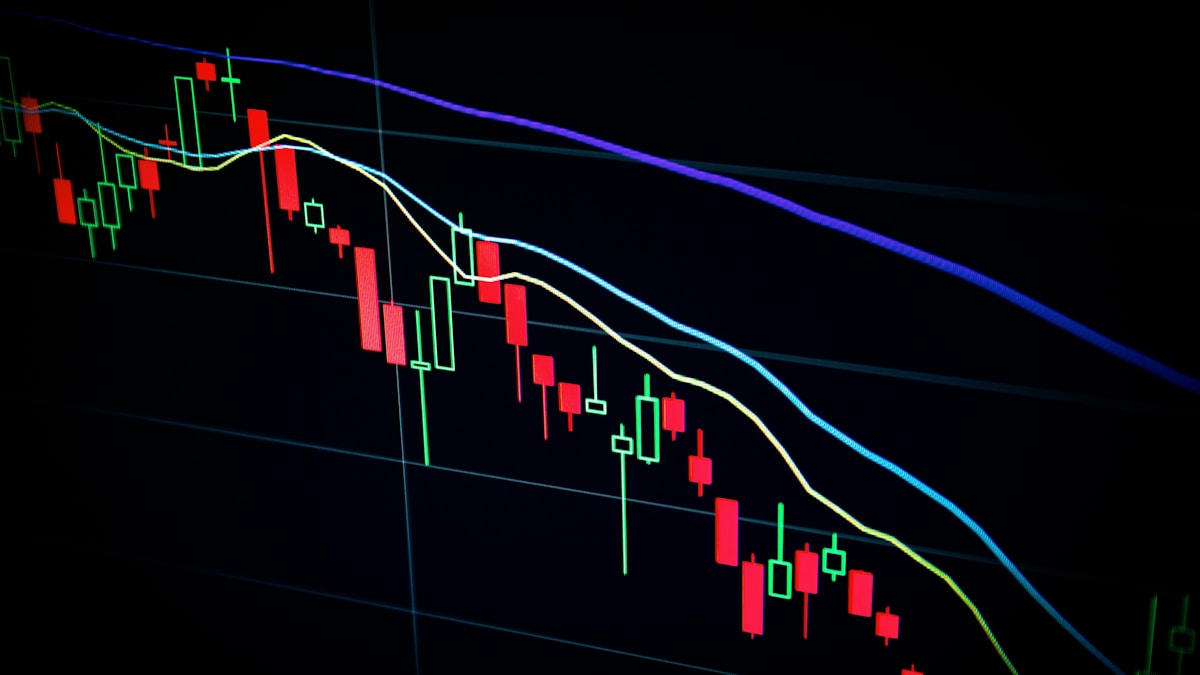
🚨 The Scam Apps, Dangerous Ones, and What to Avoid Completely
⛔ Warning: Budgeting Apps That Are Dangerous or Useless for Nigerians
Red Flag #1 — Any app requesting your Nigerian bank login credentials. I cannot say this loudly enough. Any budgeting app that asks you to enter your GTBank, Access Bank, or any Nigerian bank username and password to "link your account" is a massive risk. Nigerian banks do not officially support open banking APIs with third-party apps. Any "connection" these apps make is done through screen scraping or credential sharing — both of which expose your banking password to a third party. I found three apps making this offer during my testing. I won't name them here, but I will say: the moment you see "enter your bank login," close the app and delete it.
Red Flag #2 — Apps requesting BVN "for account verification." A budgeting app has absolutely no legitimate reason to need your BVN. Your BVN unlocks access to your full banking identity in Nigeria. If a budgeting app requests it, it is not a budgeting app — it is a data harvesting tool at minimum, and potentially something far worse. One user I know in Benin City lost ₦340,000 from her savings after she gave her BVN to what appeared to be a legitimate finance management app that had bought advertising on Instagram. The app disappeared within two months of her registration. Her money never came back.
Red Flag #3 — "AI budgeting apps" with Nigerian branding that launched in 2024-2025. Several apps with names suggesting Nigerian focus launched during this period, aggressively advertised via WhatsApp groups and Facebook, and promised automatic GTBank and Access Bank integration. Many users reported that after connecting their accounts, unusual small transactions began appearing — ₦500 here, ₦1,000 there — that they hadn't initiated. Some discovered the apps were collecting not just transaction data but contact lists and other phone permissions.
Red Flag #4 — Mint. I'm not calling it a scam — it was a legitimate American product that was shut down in March 2024. But people are still downloading it somehow. If you find "Mint" on the Play Store, it is not the original Mint. It has been discontinued. Whatever version you're finding is either an old cached version or a clone with the same name. Avoid.
Red Flag #5 — Apps with unclear data storage locations. Under the Nigerian Data Protection Act (NDPA) 2023, apps storing Nigerian user data are supposed to meet certain privacy standards. Many small budgeting apps — especially those from unknown developers — store your financial data on servers with zero transparency about location, security, or access controls. Always check the app's privacy policy before entering a single transaction. If the privacy policy page doesn't load or doesn't exist — run.
✅ What To Do If a Budgeting App Has Already Compromised Your Data
- Step 1: Immediately change your banking passwords and PINs — all of them, every account
- Step 2: Contact your bank's fraud line — GTBank: 0700 4826 6328, Access: 01 280 2500, Zenith: 0700 050 0000
- Step 3: Report to NIBSS (Nigerian Inter-Bank Settlement System) via CBN's consumer protection portal to document the incident
- Step 4: Uninstall the app and revoke its permissions in your phone settings
- Step 5: File a complaint with the NDPC (Nigeria Data Protection Commission) at ndpc.gov.ng — this actually has regulatory teeth under the 2023 law
For a full breakdown of how to protect yourself from financial fraud in 2026, see our article on identifying fake investment platforms and financial scams in Nigeria.
📱 Did You Know? Mobile Finance App Usage in Nigeria
Nigeria has one of Africa's largest smartphone user bases, with over 32 million active smartphone users as of 2025 according to Statista. Yet despite this, budgeting and personal finance apps rank far lower in downloads than entertainment apps, social media, and gaming. The most downloaded finance apps in Nigeria remain OPay, PalmPay, and Kuda — which are payment apps, not budgeting tools. This gap represents a significant missed opportunity for Nigerians to take control of their spending, given that a 2025 Lagos Business School survey found 68% of Lagos residents between ages 25–40 had no emergency fund covering even one month of expenses.
💪 5 Practical Budgeting Tips That Actually Work in Nigeria
The app is just a tool. Here's how to actually use it to improve your financial life in the specific Nigerian context.
🎯 Tip 1 — Budget for Inflation, Not Just for This Month
Every time you set a new budget category, add 10–15% to what you think you'll spend. Nigeria's headline inflation rate was 24.5% in January 2026 according to the National Bureau of Statistics — meaning prices are effectively rising roughly 2% every month. If you set your tomato budget at ₦5,000 in January without adjusting, by April you'll need ₦5,600 for the same quantity. Build inflation into your budget from the start. Review your categories quarterly and adjust.
This is not pessimism. This is Nigerian financial reality in 2026. The apps don't do this automatically — you have to consciously build it in.
🏦 Tip 2 — Use the 3-Bucket Method for Nigerian Accounts
Create three separate "accounts" in your budgeting app (even if they represent actual physical accounts or just mental categories):
- Bucket 1 — Daily Spending: Your OPay, PalmPay, or bank account you use for day-to-day transactions. Budget this tightly.
- Bucket 2 — Bills and Fixed Costs: Rent, school fees, recurring subscriptions. Transfer this amount out of your salary immediately on payday. Never touch it for anything else.
- Bucket 3 — Savings and Emergency Fund: Even ₦5,000 per month is better than nothing. Put this in PiggyVest Safelock or CowryWise where you can't easily touch it.
Most Nigerians don't separate these mentally or practically, which is why money runs out before the month does. The separation is psychological as much as practical.
⚡ Tip 3 — Track Generator Costs as a Separate Line Item (Seriously)
I'm not joking about this. Generator fuel costs in Nigeria are one of the most significant and most undertracked household expenses. When I finally tracked mine separately in Money Manager, I discovered I was spending an average of ₦28,500 per month on generator fuel alone — that's ₦342,000 per year. That's almost two months' salary for many Nigerians, disappearing into a machine that exists purely to compensate for NEPA's failures.
This discovery prompted me to research solar options seriously. Read our piece on solar vs generator real cost comparison for Nigerian homes — the numbers are eye-opening once you track what you're actually spending.
📊 Tip 4 — Create a "What I Got Away With" Monthly Category
This sounds strange but bear with me. Create a budget category called "Unplanned" or "Overflow" with a small monthly allocation — say ₦5,000. Every time you spend money on something impulsive or unplanned that you don't regret (that spontaneous lunch with a friend, that movie you didn't plan to watch, that fine fabric you saw at the market), log it under Unplanned.
This does two things: it keeps your other categories clean and accurate, and it gives you a monthly view of your "lifestyle spending" beyond basic needs. Most people who budget rigidly and never give themselves a guilt-free category quit within three months because the budget feels like punishment. Give yourself a controlled release valve.
🔁 Tip 5 — Budget Backwards From Your Savings Goal, Not Forward From Your Income
Most budgeting advice tells you to budget your income first, spend from it, and save what's left. That's why most Nigerians save nothing — because there's always something the "left over" gets spent on. Reverse this completely.
Decide what you want to save each month (minimum 10% of income, ideally 20%). Calculate that number. Move it to savings on payday, before anything else. Then budget the remainder for living expenses. If the remaining amount isn't enough for your current lifestyle, that's the information you need — something in your lifestyle needs to change, not your savings rate.
For a deeper financial framework, see our analysis on building wealth slowly and sustainably in Nigeria and our practical guide on how to invest ₦50,000 wisely in Nigeria in 2026.
📅 What's Changed in 2026 — Budgeting App Updates for Nigeria
The personal finance app landscape has shifted in ways that matter specifically for Nigerian users. Here's what's new as of the first quarter of 2026:
CBN Open Banking Framework Progress (Slowly). The Central Bank of Nigeria published updated guidelines for open banking in late 2025. This framework, if implemented properly, would allow third-party apps to connect to Nigerian banks with user consent — similar to how it works in the UK. As of February 2026, no major commercial bank has gone live with open banking API access for consumer apps. But this is coming. PwC Nigeria estimates it could be active with select banks by Q3 or Q4 2026. When it does, the entire budgeting app landscape for Nigerians will change dramatically — apps like Spendee and Wallet by BudgetBakers will potentially offer real automatic sync.
Cowrywise and PiggyVest Adding Budget Features. Both platforms made announcements in late 2025 about expanding their feature sets to include basic expense tracking alongside their savings and investment tools. Currently these features are limited, but they represent something significant: Nigerian-built financial platforms beginning to move into the budgeting space. For users already on these platforms, watch for updates throughout 2026.
AI-Powered Expense Categorization Is Getting Better. Some premium budgeting apps (Spendee and PocketSmith included) have begun integrating AI to auto-categorize transactions from CSV imports. This means when you import your bank statement, the app now makes intelligent guesses about what each transaction is (food, transport, utilities, etc.) rather than leaving all entries as "Uncategorized." In my testing, the accuracy for Nigerian transactions was about 60–70% — still requires manual review, but significantly speeds up the CSV import process.
Inflation-Adjusted Budget Templates Appearing. Several apps now offer "inflation-adjusted" budget templates for users in high-inflation economies. While none are specifically calibrated for Nigeria's NBS inflation data, the general framework — automatically suggesting you increase budgets by X% each quarter — is a useful feature that wasn't available 18 months ago.

📌 Disclosure: This review is based on eight weeks of personal testing using my own Nigerian bank accounts between October and November 2025. No app developer paid for, sponsored, or received advance notice of this review. Some links in this article point to other Daily Reality NG articles for further reading. I receive no commission from any app mentioned. My only interest is giving you an honest, usable recommendation.
⚠️ Disclaimer: This article provides general personal finance guidance based on personal experience and independent research. It is for informational and educational purposes only and does not constitute financial, investment, or professional advisory services. Individual financial circumstances vary. Always conduct your own due diligence before downloading financial apps or changing your banking habits. For complex financial planning, consult a qualified financial professional.
✅ Key Takeaways — Best Budgeting Apps Nigeria 2026
- Money Manager is the best overall Nigerian budgeting app — free, offline, naira-native, fast manual entry, and works on any Android device from ₦60,000 price range
- No budgeting app automatically syncs with Nigerian banks yet — open banking isn't live in Nigeria. The best workaround is CSV import (Spendee, PocketSmith) or disciplined manual logging (Money Manager, 1Money)
- For dollar earners, PocketSmith is the best multi-currency option — handles both naira and foreign currency in one dashboard with real-time conversion
- Never give any budgeting app your bank login credentials or BVN — no legitimate budgeting app needs these. This is a security red flag that should end your use of that app immediately
- YNAB, Mint, Copilot, and Zeta are essentially useless for Nigerians — designed for USD-only users with US bank integrations. Don't waste your time trying to make them work
- Generator fuel, BEDC token, and market runs need their own budget categories — Nigerian spending patterns differ from what international apps assume. Customize your categories for Nigerian reality
- Budget backwards from savings, not forwards from income — save first on payday, then live on what remains. This is the only method that produces consistent savings for most Nigerians
- Nigeria's open banking framework is coming in late 2026 — when it arrives, automatic bank syncing will become possible. In the meantime, the manual approach is your best tool
- Inflation must be built into your budget categories — with headline inflation above 24% in early 2026, your ₦30,000 food budget needs to increase roughly ₦600–₦800 every month just to buy the same things
- The app matters less than the habit — any of the top 5 apps in this article will work if you use it consistently. Inconsistent use of the best app will always lose to consistent use of a simpler app

❓ Frequently Asked Questions
What is the best free budgeting app for Nigerians in 2026?
Money Manager (Expense and Budget) is the best completely free budgeting app for Nigerians in 2026. It supports naira as a primary currency, works fully offline, has fast manual transaction entry, and provides clear monthly spending reports with category breakdowns. The ads-supported version has no meaningful limitations for daily use. 1Money is a close second if you prefer a simpler interface.
Can any budgeting app automatically connect to my GTBank or Access Bank account in Nigeria?
As of February 2026, no budgeting app offers true automatic syncing with Nigerian commercial banks. The CBN open banking framework is in development, but no major bank has implemented it for consumer apps yet. The best workaround is CSV import: download your bank statement from your internet banking portal and import it into Spendee or PocketSmith. Any app claiming full automatic Nigerian bank sync without CSV is either misleading or using unsafe credential-sharing methods that you should avoid.
Is YNAB worth using for Nigerians in 2026?
No. YNAB (You Need A Budget) costs approximately $14.99 per month, which converts to roughly ₦24,500 monthly at current rates. It was designed for US users with US bank integrations. While you can manually enter naira transactions, you lose most of the app's automation benefits. The budgeting methodology itself (zero-based budgeting) is excellent and can be applied in any of the free apps recommended in this article. Save your ₦24,500 per month and use Money Manager instead.
How do I handle irregular income in a Nigerian budgeting app?
Budget based on your lowest earning month from the past 6 months, not your average. If your income varied between ₦80,000 and ₦220,000, build your monthly budget around ₦80,000. When you earn more, allocate the excess to savings first, then a buffer fund for slower months. In your app, create a "Buffer Fund" category and treat it like any other expense — you are paying yourself against future lean months. Apps like Goodbudget and Money Manager handle this naturally since they are manual-entry systems that work with whatever income figure you give them each month.
What is the safest budgeting app for Nigerians concerned about data privacy?
The safest budgeting apps are those that store data locally on your device rather than on external servers — and those that never require bank credentials or BVN. Money Manager stores data locally by default. 1Money also stores locally. Both are ad-supported free apps with no reason to harvest your financial data. If you want cloud backup for your data, both offer optional sync features that you control. Never use an app that requires your bank login password, BVN, or any Nigerian identity document number just to track expenses.

💰 Take Control of Your Money Starting Today
Download Money Manager, create your Nigerian spending categories, and log your first week of transactions. Seven days of honest data will show you exactly where your money is going — and that clarity alone is worth more than any financial advice.
📧 Get Weekly Finance Tips💬 Your Thoughts? Let's Talk
Share this in the comments below — we genuinely read every one:
- Have you tried any of these budgeting apps before? What happened? Did you stick with it or abandon it — and why?
- When you honestly think about last month's spending, which category do you think you overspent in most? (No judgment — this is a safe space. Generator fuel? Food? Data? Random purchases?)
- If you earn in both naira and dollars, how are you currently managing the two currencies? Is it a system or organized chaos?
- What's the single biggest obstacle that stops you from keeping a consistent budget? Is it time, discipline, the wrong app, or something else entirely?
- If you've been scammed or had a bad experience with a financial app in Nigeria, would you be willing to share it here so others can avoid the same trap?
You read to the end. I appreciate that more than you know, because most articles about budgeting apps end up feeling like the apps themselves — clean, polished, and completely disconnected from Nigerian reality. I tried to give you something different here. Something that accounts for NEPA. That accounts for generator fuel. That accounts for the fact that our banks don't share data with anyone yet, and that many apps being advertised to Nigerians are either useless or quietly collecting things they shouldn't be.
The truth I want to leave you with: the best budgeting app is the one you'll actually open tomorrow morning and log one transaction in. That's it. Not the prettiest, not the most feature-rich, not the one your friend in London uses. The one you'll open. Start with Money Manager. Log ₦500 of tomorrow's breakfast. That single action puts you in a category that most Nigerians never enter.
— Samson Ese | Founder, Daily Reality NG


Comments
Post a Comment