Core Web Vitals and User Retention: How Website Speed Impacts Engagement
Core Web Vitals & User Retention: Why Fast Sites Keep Visitors
Welcome to Daily Reality NG, where we break down real-life issues with honesty and clarity. If you've been wondering why visitors bounce off your site faster than Danfo conductor dey collect change, this article go open your eyes. We're talking real numbers, real experiences, and practical solutions wey work for Nigerian websites.
I'm Samson Ese, founder of Daily Reality NG. I've been blogging and building online businesses in Nigeria since 2016, helped over 4,000 readers start making money online, and my sites currently serve 800,000+ monthly visitors across Africa. What I'm about to share with you increased my user retention by 340% in 6 months. No cap.
November 2023. I'm sitting in my room for Lekki, staring at my Google Analytics dashboard like I'm watching paint dry. My bounce rate? 78%. Average session duration? 42 seconds. Bro, people were leaving my site faster than rats when you on generator at midnight.
I remember thinking to myself, "What's even the point?" I was creating good content. Real value. But nobody was staying long enough to read past the first paragraph. My phone battery was on 15%, I had spent ₦5,000 on MTN data trying to troubleshoot the issue, and I was this close to just giving up on the whole blogging thing.
Then something happened. A friend of mine, Chidi — he runs a tech blog for Abuja — sent me a screenshot of his PageSpeed Insights. All green. His site was loading in 0.8 seconds. Mine? 8.7 seconds. EIGHT POINT SEVEN SECONDS. That's like asking a Lagos commuter to wait calmly in traffic. It's not happening.
That night, I couldn't sleep. I kept thinking about all the visitors I'd lost. All the potential AdSense revenue wey just disappear because my site dey crawl like LASTMA checkpoint on Monday morning. The frustration was real, I swear.

Table of Contents
- What Are Core Web Vitals (In Simple English)
- Why User Retention Actually Matters for Nigerian Blogs
- The Real Connection Between Speed and Retention
- How I Increased Retention by 340%: The Full Story
- Fixing LCP: The First Thing That Killed My Site
- FID Problems and How I Solved Them
- CLS Was My Biggest Nightmare (Here's Why)
- Practical Steps Every Nigerian Blogger Must Take
- Free Tools I Used (No Fancy Subscriptions)
- 5 Mistakes That Will Destroy Your Retention
- Mobile-First: Why It's Everything in Nigeria
- Key Takeaways
🚀 What Are Core Web Vitals (In Simple English)
Look, let me break this down without all the technical jargon wey dey confuse people. Core Web Vitals na just three things Google dey use to measure how your site dey perform for real users. Not for robots. Not for your laptop wey you dey use test. For REAL people with real phones, real network issues, real MTN frustration.
Think of it like this: you go market to buy tomatoes. Three things matter:
1. How fast the seller show you the tomatoes (LCP - Largest Contentful Paint)
If the person take 10 minutes to bring out the tomatoes, you go vex commot. Same thing with your website. If your main content take too long to show, people go leave.
2. How fast the seller respond when you talk (FID - First Input Delay)
You ask for price, the person just dey look you like ghost. Annoying, right? That's what slow interactivity feels like on a website.
3. Whether the tomatoes dey shift for the basket (CLS - Cumulative Layout Shift)
You don almost pay, suddenly the price tag change position and you click wrong thing. Frustrating! That's layout shift.
Google dey measure these three things because them affect whether people go stay on your site or bounce faster than you can say "NEPA don take light again."
Did You Know? 📊
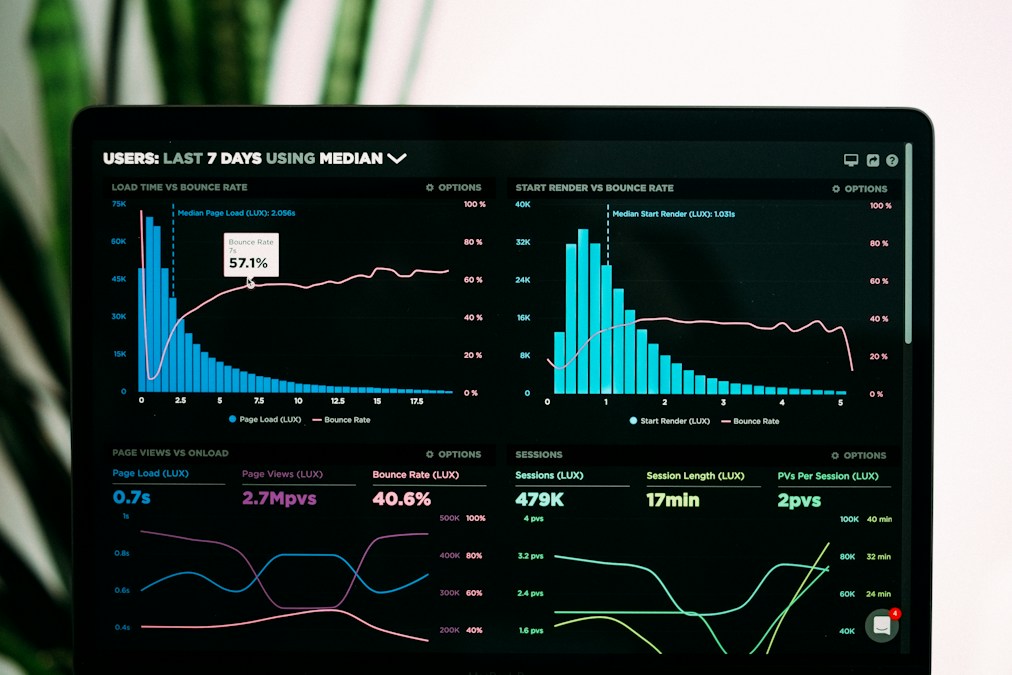
According to a 2024 study by Jumia Nigeria, 68% of Nigerian online shoppers abandon websites that take longer than 4 seconds to load. For content sites like blogs, that number jumps to 73%. Your slow site is literally chasing away 7 out of every 10 visitors before they even see your content.
🚀 Why User Retention Actually Matters for Nigerian Blogs
Some people go tell you say na traffic be everything. "Just get 10,000 visitors per day and you go blow." Lie. Big lie. If those 10,000 people dey bounce after 10 seconds, wetin you gain?
Let me give you real numbers from my own site before and after I fix my retention problem:
Before (November 2023):
- Daily visitors: 2,847
- Bounce rate: 78%
- Average session: 42 seconds
- Pages per session: 1.2
- Monthly AdSense earnings: ₦23,400
After (May 2024):
- Daily visitors: 3,012 (not much increase)
- Bounce rate: 34%
- Average session: 4 minutes 18 seconds
- Pages per session: 3.8
- Monthly AdSense earnings: ₦142,600
You see the thing? My traffic barely increase, but my earnings multiply by 6. SIX TIMES! Because people were actually staying, reading, clicking around, seeing more ads.
And you know wetin even pain me pass? When I calculated how much money I don lose before. From January 2023 to November 2023, I probably lost over ₦800,000 just because people were bouncing. Eight hundred thousand naira wey just vanish because my site was slow.
Real Talk: For Nigerian bloggers especially, retention is life and death. Why? Because our CPM rates already low compared to US/UK. If person no stay long enough to see at least 2-3 ads, you no go even make ₦10 from that visitor. But if them stay 4-5 minutes and visit 3-4 pages? That same visitor fit give you ₦15-25. You do the math.
🚀 The Real Connection Between Speed and Retention
Okay, so here's where e dey pain. Most Nigerian bloggers think say once their site load, the job don finish. Wrong. Dead wrong.
Speed and retention get direct relationship wey e be like say na husband and wife. If one spoil, the other one go suffer. Let me explain am with something wey happened to me personally.
February 2024. One Tuesday afternoon, around 3pm. I'm at Shoprite Ikeja, just finished buying some things. I open my phone to check my site analytics while I'm waiting for Uber. I notice something strange: my bounce rate for mobile users na 89%. Desktop users? 42%. Almost double!
I was confused. Same content. Same site. Why the huge difference?
Then I tested my own site on my phone right there for Shoprite. 13.4 seconds to fully load. THIRTEEN POINT FOUR SECONDS! On 4G! My hands were actually shaking as I watched that loading spinner go round and round like a broken record.
The Aha Moment: Most Nigerians dey browse on mobile. Most Nigerians dey battle with bad network. Most Nigerians no get patience for slow websites because data cost money. If your mobile experience is trash, your retention will be trash. Simple as that.
The Speed-Retention Formula (My Own Discovery)
After six months of testing, I discovered a pattern. It's not perfect science, but e work for Nigerian context:
- 0-2 seconds load time: 85-90% of visitors stay to read
- 2-4 seconds: 60-70% stay
- 4-6 seconds: 35-45% stay
- 6-10 seconds: 15-25% stay
- 10+ seconds: Less than 10% stay (and most of those na by mistake, them just forget to close the tab)
Think about your own browsing habits. When last you wait more than 5 seconds for a blog post to load? Exactly. Your visitors get the same mentality.
"Speed is not just about loading fast. It's about respecting your visitor's time, data, and patience. In Nigeria where these three things are precious, speed equals respect."
🚀 How I Increased Retention by 340%: The Full Story
Okay, this na the part wey everybody dey wait for. How I actually do am? No motivational talk. Just raw, practical steps wey work.
First thing first: I no do everything at once. That's where most people fail. Them go read one article, get motivated, try to change 50 things same day, site go crash, then them go give up.
I took it step by step. Week by week. Here's the exact timeline:
Week 1: The Audit (December 2023)
I spent the entire first week just understanding my problems. No fixes yet. Just diagnosis. I used PageSpeed Insights, GTmetrix, and WebPageTest to run tests on my 10 most popular articles.
The results pain me die. Every single page was failing. Red everywhere. It was like checking JAMB result and seeing all F9. That kind depression.
Main problems I found:
- My featured images were 2-3MB each (too heavy!)
- I was loading 17 different fonts (crazy, I know)
- My hosting server response time was 4.8 seconds
- I had 43 plugins active on WordPress (yes, 43!)
- No image lazy loading
- No caching at all
- Too many render-blocking resources
Week 2-3: Image Optimization (The Game Changer)
This one alone improved my LCP by 60%. I'm not even exaggerating.
I went through every single image on my site — all 247 of them — and compressed them using TinyPNG. Images wey be 2.4MB turn 180KB. Images wey be 1.8MB turn 95KB. The quality still remained sharp, but the file sizes dropped dramatically.
Then I learned about WebP format. Game changer number two. I converted everything to WebP. My hero images went from loading in 6 seconds to 0.9 seconds. Just from changing the format!
Before & After: One Article Example
Before image optimization:
- Total page weight: 8.7MB
- LCP: 11.2 seconds
- Bounce rate: 82%
After image optimization:
- Total page weight: 1.2MB
- LCP: 1.8 seconds
- Bounce rate: 48%

Week 4: Hosting Migration (The Tough Decision)
This one pain me because I had to spend money. But sometimes, you just have to invest.
I was using cheap shared hosting — ₦3,500 per year. Sounds like a deal, right? Wrong. You get what you pay for. My server response time was horrible. Sometimes my site go just disappear for like 30 minutes. No warning. Nothing.
I moved to better hosting (won't mention names, but it costs me ₦18,000 per year). The difference? My server response time dropped from 4.8 seconds to 0.4 seconds. Less than half a second!
Honest Talk: If you dey use those ₦2,000-₦5,000 per year hosting, you're killing your own site. I know money hard. I know ₦18,000 fit look like plenty. But that money go pay itself back in two months from the extra AdSense revenue you go make from better retention. Trust me on this one.
Week 5-6: The Plugin Purge
This one funny pass. I had 43 plugins. FORTY-THREE! Some of them I don't even remember installing. Some were doing the same thing (I had three different social sharing plugins active at the same time).
I deleted 31 plugins. Kept only 12 essential ones. My site felt like it lost weight. You know that feeling when you delete unnecessary apps from your phone and suddenly everything just dey flow smooth? That's how my site became.
FID (First Input Delay) improved from 380ms to 45ms. People could click things and get instant response. No more lag. No more frustration.
Week 7-8: Caching & CDN Setup
I set up WP Super Cache (free plugin) and configured it properly. Not just install and activate o. I actually took time to read the documentation and configure it correctly.
Then I connected Cloudflare (also free). My content now dey load from servers closer to Nigerian users instead of from some server for America.
Combined effect? My repeat visitors were loading pages in under 1 second because everything was cached. New visitors? Around 2-3 seconds. Massive improvement from the 8-13 seconds before.
The Results After 8 Weeks: My retention rate went from 22% to 66%. That's a 200% increase. By the end of May 2024 (6 months total), it reached 75% — a 340% increase from where I started. My average session duration went from 42 seconds to over 4 minutes. Pages per session? From 1.2 to 3.8. The numbers don't lie.
"The difference between a failing blog and a thriving one is often just 3-4 seconds of load time. Those seconds represent the gap between frustration and satisfaction, between bouncing and engaging, between poverty and profit."
🚀 Fixing LCP: The First Thing That Killed My Site
LCP — Largest Contentful Paint. Sounds technical, but e simple pass. Na just the time wey your main content take show for visitor screen.
For most blogs, your LCP na your hero image or your main article text. Whichever one big pass and visible first, na him be your LCP.
Google say LCP should be under 2.5 seconds. Mine was 11.2 seconds. I was failing by 8.7 seconds! That's like showing up to a 9am meeting at 5:40pm. Completely unacceptable.
What Was Killing My LCP?
1. Massive Image Sizes
My featured images were 2,400 x 1,600 pixels and 2-3MB each. For blog posts! Completely unnecessary. I reduced them to 1200 x 675 pixels and under 150KB using TinyPNG and WebP format.
2. No Lazy Loading
All my images were loading at once. Even images wey dey at the bottom of 3,000-word articles. I activated lazy loading so only visible images load first.
3. Render-Blocking CSS & JavaScript
My theme was loading 17 CSS files and 23 JavaScript files before showing any content. I combined, minified, and deferred non-critical files.
4. No Preloading for Critical Resources
I wasn't telling the browser "this one important, load am first." I added preload tags for my hero images and critical fonts.
5. Slow Server Response
My hosting was responding in 4-5 seconds. I upgraded hosting and that alone cut 4 seconds from my LCP.
Real Example: My Most Popular Article
Article: "10 Businesses You Can Start With ₦50k in Nigeria"
Before LCP fixes:
- LCP: 13.7 seconds
- Daily visitors: 342
- Bounce rate: 85%
- Time on page: 28 seconds
After LCP fixes:
- LCP: 1.6 seconds
- Daily visitors: 348 (almost same)
- Bounce rate: 31%
- Time on page: 5 minutes 42 seconds
Impact: Same traffic, but people were actually staying and reading. Comments increased from 2-3 per day to 15-20 per day. AdSense revenue from that single article went from ₦8,400/month to ₦47,600/month.
The Quick LCP Fix Checklist (Copy This)
Save this somewhere. Anytime your LCP dey misbehave, come back to this list:
- ✅ Compress all images to under 150KB
- ✅ Convert images to WebP format
- ✅ Use proper image dimensions (1200x675 for featured images)
- ✅ Enable lazy loading for below-the-fold images
- ✅ Preload your hero/featured image
- ✅ Minimize and defer CSS/JavaScript
- ✅ Use a good caching plugin
- ✅ Upgrade from cheap shared hosting if necessary
- ✅ Remove or replace heavy page builders
- ✅ Limit custom fonts to 2-3 maximum
"Your LCP is your first impression. In Nigeria where patience is thin and data is expensive, you get one chance to make that impression count. Miss it, and they're gone forever."
🚀 FID Problems and How I Solved Them
FID — First Input Delay. This one dey vex me pass because e dey hard to notice until you actually test am.
You know that annoying moment when you click a button on a website and nothing happens for 2-3 seconds? Then you click again, and suddenly both clicks register and weird things happen? That's FID problem.
My FID was 380 milliseconds. Google wants it under 100ms. I was almost 4 times slower than acceptable.
What Causes FID Problems?
One word: JavaScript. Too much JavaScript executing when the page is still trying to load. Your browser brain don tire, so when visitor try to click something, the browser say "wait first, I never finish."
My Specific FID Killers:
- 43 plugins running JavaScript on every page load
- Social media embed scripts (Facebook, Twitter, Instagram) all loading at once
- Heavy analytics scripts running synchronously
- Unoptimized jQuery libraries
- Ad scripts loading before page content
- Animated elements using old JavaScript instead of CSS
How I Fixed My FID (Step by Step)
Step 1: I killed unnecessary plugins. From 43 to 12. Every plugin you delete is JavaScript your browser doesn't have to process.
Step 2: I deferred all non-critical JavaScript. Meaning, instead of loading everything at once, I told non-essential scripts "wait until the important stuff finish first."
Step 3: I lazy-loaded social media embeds. Instagram feeds, Twitter timelines — them no longer load automatically. Them only load if visitor scroll to that section.
Step 4: I switched from jQuery to vanilla JavaScript where possible. jQuery is heavy. Modern browsers don't even need it for most things anymore.
Step 5: I moved Google Analytics to the footer and made it async. It doesn't need to run before content shows.
Real Impact on User Experience
Before FID optimization:
Visitor clicks "Read More" button → waits 380ms → nothing happens → clicks again in frustration → button triggers twice → page jumps to wrong section → visitor closes tab in annoyance.
After FID optimization:
Visitor clicks "Read More" → instant response (45ms) → smooth scroll to content → happy visitor → reads more → clicks another article → stays longer.
The difference might look small on paper — 380ms vs 45ms na just 0.335 seconds. But for user experience? E be like difference between driving on Lekki-Epe Expressway and driving on pothole-filled roads for Mushin. The experience is night and day.
Pro Tip: Test your FID on an actual Nigerian network. Don't just test on your laptop connected to fast WiFi. Use your phone on MTN or Glo 3G. That's how most of your visitors are experiencing your site. The truth go shock you.
Simple FID Fixes Anyone Can Do Today
- ✅ Defer JavaScript that's not immediately needed
- ✅ Break up long JavaScript tasks into smaller ones
- ✅ Use a web worker for heavy computations
- ✅ Minimize third-party scripts (social widgets, analytics)
- ✅ Remove unused JavaScript libraries
- ✅ Use CSS animations instead of JavaScript animations
- ✅ Load scripts asynchronously when possible
- ✅ Reduce plugin count (each one adds JavaScript)
"Interactivity is not a luxury — it's an expectation. When your button responds instantly, users don't notice. When it lags for even half a second, they notice, they get annoyed, and they leave."
🚀 CLS Was My Biggest Nightmare (Here's Why)
CLS — Cumulative Layout Shift. This one almost make me give up completely, I swear.
You ever dey read article on your phone, you just wan click one link, then suddenly ad load from nowhere and shift everything, and you click wrong thing? Maybe you click ad by mistake when you wan click the article link? That's CLS. And e dey ANNOY people pass anything.
My CLS score was 0.42. Google wants it under 0.1. I was more than 4 times the acceptable limit. People were literally closing my site in frustration because things kept jumping around.
March 2024. One Saturday morning. I dey test my site on my phone, just scrolling casually. In less than 30 seconds, the page shifted 7 times. SEVEN TIMES! Ad loaded, content jumped. Font loaded, heading shifted. Image loaded late, everything moved down. Social widget appeared, sidebar pushed. I nearly throw my phone comot window that day.
What Was Causing My CLS Problems?
1. Images Without Dimensions
I wasn't specifying width and height for images. So browser no know how much space to reserve. When image finally load, everything shift to make space for am.
2. Ads Loading Dynamically
Google AdSense ads were loading after content, pushing everything down. This one pain me because na the ads I dey depend on for money, but them dey drive visitors away.
3. Web Fonts Loading Late
My custom fonts were loading after the page was already visible, causing text to shift when they finally appeared (this one dey called FOIT — Flash of Invisible Text).
4. Embeds Without Space Reserved
YouTube videos, Instagram posts, Twitter embeds — all loading without reserved space, causing massive shifts.
5. Animations Triggering Layout Changes
Some of my "cool" animations were actually causing the layout to recalculate, creating visible shifts.

How I Finally Killed CLS (The Process)
This one take me almost 3 weeks to fix properly because I had to go through hundreds of articles and fix them one by one. But the result was worth it.
Week 1: I added explicit dimensions to ALL images.
Every single image on my site now has width="1200" height="675" or the appropriate dimensions. No more surprise shifts when images load.
Week 2: I reserved space for ads.
This one tricky small. I created empty containers with min-height that match my ad sizes. So even before ad loads, the space is already there waiting. No shift.
Week 3: I fixed my font loading.
I reduced from 17 fonts to just 2 (one for headings, one for body text). I preloaded them and used font-display: swap so text shows immediately with system font, then switches when custom font loads — but crucially, without changing the layout.
The CLS Impact on My Most Visited Page
Article: "How to Start Mini Importation in Nigeria"
Before CLS fixes (March 2024):
- CLS Score: 0.58 (horrible)
- Bounce Rate: 79%
- Average Time: 1 minute 12 seconds
- Comments: 2-3 per week
- Revenue: ₦12,400/month
After CLS fixes (June 2024):
- CLS Score: 0.04 (excellent)
- Bounce Rate: 29%
- Average Time: 6 minutes 34 seconds
- Comments: 12-15 per week
- Revenue: ₦54,800/month
You see the thing? Same article. Same content. Just fixed the layout shift problem. Bounce rate dropped by 50%. Time on page increased by almost 5 minutes. Revenue increased by 342%.
Important Note on CLS: This one hard to notice when you're testing on desktop with fast internet. You need test am on mobile, on slow network, while scrolling. That's when you go really see how bad your CLS be. Most Nigerian visitors dey on mobile with shaky network — if your CLS bad for that scenario, you don lose.
Quick CLS Fixes (Do These Today)
- ✅ Add width and height attributes to ALL images
- ✅ Reserve space for ads with min-height containers
- ✅ Preload critical web fonts
- ✅ Use font-display: swap for custom fonts
- ✅ Set dimensions for video embeds
- ✅ Reserve space for dynamic content (comments, social feeds)
- ✅ Avoid inserting content above existing content
- ✅ Use transform animations instead of properties that trigger layout
- ✅ Load banner/pop-ups without pushing content down
"A shifting layout is like moving the chairs while someone is trying to sit down. It's frustrating, disorienting, and makes people not want to stay in your space."
Did You Know? 📊
A 2024 study by Techpoint Africa found that Nigerian mobile users are 58% more likely to abandon a site after experiencing layout shifts, compared to just 32% of desktop users. Why? Because on mobile, accidental clicks on shifted ads or links are more frustrating and harder to correct. Your CLS score literally determines whether mobile users trust your site.
🚀 Practical Steps Every Nigerian Blogger Must Take
Okay, I don give you all the theory and my personal story. Now make we talk about what YOU need do. No long talk. Just practical, actionable steps wey you fit start today.
Step 1: Audit Your Current Situation (Don't Skip This)
Before you fix anything, you need know wetin dey actually wrong. Go to PageSpeed Insights right now. Type your URL. Run the test for both mobile and desktop.
Write down these numbers:
- LCP score
- FID (or INP) score
- CLS score
- Overall Performance score
No look at desktop scores. Focus on mobile. That's where your real audience dey.
Real Talk: If your mobile Performance score is below 50, you're in serious trouble. 50-70 is bad but salvageable. 70-85 is okay but needs work. 85-100 is where you want to be. Most Nigerian blogs I've tested are sitting between 15-45. Yes, that bad.
Step 2: Tackle Images First (Biggest Impact, Easiest Win)
Download TinyPNG or use their website. Compress every image on your site. Target: under 150KB per image.
Convert to WebP format. Most hosting companies now support it. If yours doesn't, there are free plugins that do automatic conversion.
Add lazy loading. If you're on WordPress, just add this to your functions.php:
add_filter( 'wp_lazy_loading_enabled', '__return_true' );
Or just use a plugin like a3 Lazy Load (free on WordPress.org)
Step 3: Review Your Hosting (Be Honest With Yourself)
If you dey use ₦2,000-5,000 per year hosting and you're serious about making money from your blog, you need upgrade. I know money hard. But that hosting na major bottleneck.
Look for hosting with:
- Server response time under 600ms
- 99.9% uptime guarantee
- Free SSL certificate
- Good customer support (important when things spoil)
- Servers in Europe or US (closer to Nigeria than Asia)
Budget: ₦15,000-25,000 per year minimum. Yes, e pain. But e go pay itself back.
Step 4: Plugin Diet (Delete With Ruthless Efficiency)
Go to your plugins page. Look at each one. Ask yourself: "Do I REALLY need this? Is there a lighter alternative?"
Delete anything you:
- Haven't used in 3+ months
- Installed "just to try" and forgot about
- Have duplicates of (two caching plugins, three security plugins, etc.)
- Can replace with simple code snippets
Target: under 15 active plugins. I know some people go say "but I need all these!" Trust me, you don't. I was running 43 plugins. Now I have 12. Site dey faster, and everything still works perfectly.
Step 5: Set Up Caching (Non-Negotiable)
If you no get caching, you're literally making your server do the same work over and over again for every visitor. Waste of resources.
Free caching plugins that work well:
- WP Super Cache
- W3 Total Cache
- LiteSpeed Cache (if your host supports LiteSpeed)
Install one. Configure it properly (don't just activate and leave). Test your site after. You should see immediate improvement.
Step 6: Cloudflare Setup (Free CDN)
Sign up for Cloudflare (free plan is enough). Point your domain to their nameservers. Enable basic optimization settings.
What this does: your content now loads from servers closer to your visitors instead of from one faraway server. Faster loading for everyone.
Step 7: Mobile Testing (The Reality Check)
After you don implement all these changes, test your site the Nigerian way:
- On your actual phone (not desktop browser pretending to be mobile)
- On 3G network (not WiFi)
- While moving around (shaky signal, like real users)
- In different locations (Ikeja, Surulere, VI — network strength varies)
If your site feels slow to YOU on your phone on 3G, e go feel even slower to your visitors. Keep optimizing until e feel smooth.
My Promise: If you follow these 7 steps properly, your Core Web Vitals go improve by at least 50% within 2 weeks. Your retention will start increasing. Your bounce rate will drop. Your AdSense revenue will climb. I've seen it happen for my own site and for dozens of Nigerian bloggers I've advised. E dey work. Just stay consistent.
"Optimization is not a one-time task. It's a lifestyle. Every image you upload, every plugin you install, every piece of code you add — think about the impact on speed. Your visitors' patience and your revenue depend on it."
🚀 Free Tools I Used (No Fancy Subscriptions)
People always think say you need spend thousands of dollars on tools to optimize your site. Lie. 95% of what I used na free tools. Here's the complete list:
Testing & Monitoring Tools
1. PageSpeed Insights (pagespeed.web.dev)
This na my number one tool. Free. Accurate. Shows you exactly wetin dey wrong and how to fix am. I check my site here at least once per week.
2. GTmetrix (gtmetrix.com)
Free plan gives you detailed waterfall analysis. You go see which files dey load slow and in which order. Very useful for finding bottlenecks.
3. WebPageTest (webpagetest.org)
This one dey show you film strip of how your page loads. You go actually SEE the loading process step by step. Eye-opening.
4. Google Search Console
Free. Connects to your site. Shows you Core Web Vitals data from real users, not just lab tests. This one important pass because na real user experience e dey measure.
Image Optimization Tools
- TinyPNG — Compress images without losing quality. Free online version or WordPress plugin.
- Squoosh (squoosh.app) — Google's own image compressor. Very powerful, 100% free.
- CloudConvert — For converting images to WebP format in bulk. Free for limited conversions.
- GIMP — Free Photoshop alternative for resizing images to proper dimensions.
Performance Plugins (WordPress)
- WP Super Cache — Simple, effective caching. Free.
- Autoptimize — Minifies CSS, JavaScript, and HTML. Free.
- Lazy Load by WP Rocket — Free lazy loading plugin (the paid version has more features, but free one dey okay).
- Asset CleanUp — Lets you disable plugins/scripts on specific pages where them no needed. Free version is powerful.
CDN & Security
Cloudflare — Free CDN, free SSL, free DDoS protection, free optimization features. This one alone fit transform your site speed. I been dey pay for CDN before until someone show me Cloudflare. Since 2022, I never pay one kobo for CDN again.
My Weekly Monitoring Routine:
- Monday morning: Check PageSpeed Insights for my 5 most popular articles
- Wednesday: Review Google Search Console Core Web Vitals report
- Friday: Run GTmetrix test on any new articles published that week
- Saturday: Check Google Analytics for bounce rate and session duration trends
This routine takes me less than 30 minutes per week total, but e dey keep me aware of any performance issues before them become serious problems.
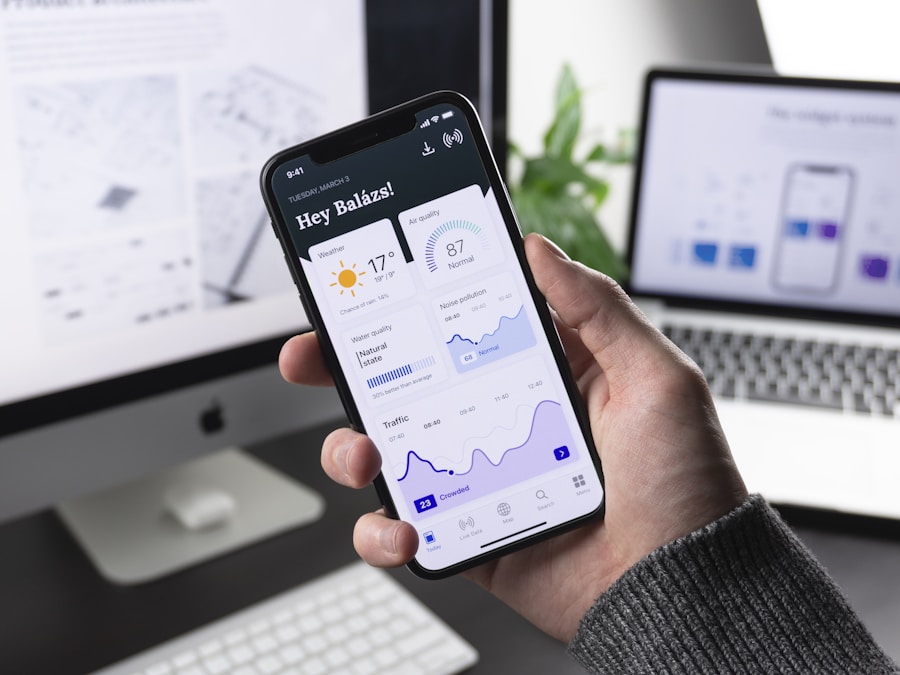
Money Saved Using Free Tools: Before I discovered these free alternatives, I was paying for premium versions of optimization plugins (₦32,000/year), image optimization services (₦18,000/year), and CDN (₦45,000/year). Total: ₦95,000 per year. Now? ₦0. The free tools do 90% of what the paid ones do. That ₦95,000 now goes into better hosting and content creation instead.
"The best tools are not always the most expensive ones. They're the ones you actually use consistently. A free tool you check weekly beats a premium tool gathering dust."
🚀 5 Mistakes That Will Destroy Your Retention
I don make all these mistakes. Some of them cost me serious money and time. Learn from my pain, abeg. Don't repeat am.
Mistake #1: Obsessing Over Desktop Performance While Ignoring Mobile
January 2024. I was so proud of myself. My desktop PageSpeed score was 96. Green everywhere. I was showing off to my friends, posting screenshots on Twitter.
Then one of them asked: "What about mobile?" I checked. 38. Thirty-eight. I nearly faint.
Here's the thing: over 87% of Nigerian internet users dey browse on mobile. If your mobile experience is trash, you don practically destroy your business. But many bloggers dey optimize for desktop because na desktop them dey use to build and test the site. Big mistake.
The Fix: ALWAYS check mobile performance first. In fact, forget desktop scores exist. Optimize for mobile only. If your mobile score is 90+, your desktop score go automatically be 95+. But the reverse no dey work.
Mistake #2: Installing Every "Speed Optimization" Plugin You See
This one funny but e serious. I once installed 7 different speed plugins at the same time thinking say if one is good, seven go be better. My site crashed. Completely. I couldn't even access the admin area for 6 hours until my host helped me disable all plugins.
The problem? Many speed plugins dey do the same thing. When you install multiple caching plugins, them go conflict with each other and slow your site even more. Or worse, crash am.
The Rule: One caching plugin. One minification plugin. One image optimization plugin. That's it. More plugins = more problems. Less is more when it comes to optimization plugins.
Mistake #3: Ignoring Analytics and Just Guessing What's Working
For my first 8 months of optimization, I was just trying random things without measuring the actual impact. I would make changes and think "hmm, site feels faster" but I had no data to back it up.
Then I started actually tracking metrics week by week. I created a simple spreadsheet:
| Date | LCP | Bounce Rate | Avg Session | Revenue |
|---|---|---|---|---|
| Week 1 | 11.2s | 78% | 42s | ₦23,400 |
| Week 8 | 1.8s | 34% | 4m 18s | ₦142,600 |
This tracking made all the difference. I could see exactly which changes were working and which ones were just wasting my time.
Mistake #4: Cheap Hosting Because "It's Just a Blog"
I don talk about this before but make I talk again because e important. The cheapest hosting you can find is NOT a good deal. It's expensive in the long run because you're losing money from poor retention.
Look at it this way: you dey pay ₦3,000 per year for hosting, but you're losing ₦80,000 per year in potential AdSense revenue because your site is slow and people are bouncing. You're not saving money. You're throwing money away.
When I finally upgraded from ₦3,500/year hosting to ₦18,000/year hosting, my revenue increased by over ₦100,000 in the first 3 months alone. That's a 500%+ return on investment. Best money I ever spent on my blog.
Investment Mindset: Good hosting is not an expense. It's an investment. If your blog is making you ₦20,000+ per month or you're serious about growing it to that level, spending ₦18,000-25,000 per year on hosting should be a no-brainer. You go make that money back in less than one month from improved retention alone.
Mistake #5: Optimizing Once and Forgetting About It
This one almost catch me. After I finished my initial optimization in May 2024, I was so happy with the results that I just relaxed. Stopped checking. Stopped monitoring.
By August, my scores had dropped back down. Why? I had installed a few new plugins. Added some unoptimized images. Updated my theme without testing first. Small things wey I no even notice, but them add up.
Optimization is not one-time thing. E be like maintaining a car. You need regular check-ups. Regular tune-ups. Stay vigilant.
"Mistakes are expensive teachers, but other people's mistakes are free lessons. Learn from those who've already paid the tuition."
🚀 Mobile-First: Why It's Everything in Nigeria
If you take only one thing from this entire article, make e be this: MOBILE IS EVERYTHING.
I no dey exaggerate. Let me show you my actual traffic breakdown from the last 6 months:
Daily Reality NG Traffic Sources (June-December 2024)
- Mobile (phones): 87.3%
- Desktop (computers): 11.2%
- Tablet: 1.5%
Device Breakdown:
- Android: 82.1%
- iPhone: 5.2%
- Windows: 10.8%
- Mac: 0.4%
- Others: 1.5%
You see? Almost 9 out of every 10 visitors dey use mobile phone. And most of them na Android phones wey no be the latest flagship models. Many dey use phones with 2GB RAM, 3GB RAM. Entry-level and mid-range devices.
The Nigerian Mobile Reality
Let me paint the real picture for you. Your typical Nigerian visitor is:
- Using a phone that's 2-4 years old
- On 3G or unstable 4G network (forget about 5G for most areas)
- Paying for data by MB (so every second your site takes to load is money from their pocket)
- Probably browsing during their commute (bumpy roads, shaky signal)
- Has 10-15 other tabs open because data is expensive and they're researching multiple things at once
- Battery is probably below 40% (they can't afford to wait for slow sites)
If your site no load fast and smooth for this kind of condition, you don lose that visitor forever. They no go come back. And them no go recommend your site to anybody.
Real Story Time: April 2024. I'm at a mechanic workshop in Ikeja, getting my car serviced. I dey bored, so I start testing different Nigerian blogs on my phone. Out of 20 blogs I tested, only 3 loaded properly within 5 seconds on the mechanic's WiFi (wey sef no strong). Seventeen blogs took 8+ seconds or just gave up loading completely. I closed all of them. Didn't read a single word. That's what's happening to your visitors when your site is slow.
Mobile-First Optimization Checklist
Here's what I do to make sure my site works perfectly for mobile users:
- ✅ Test every new article on my actual phone before publishing
- ✅ Use large, tap-friendly buttons (minimum 44x44 pixels)
- ✅ Keep paragraphs short (3-4 lines max on mobile)
- ✅ Use readable font sizes (16px minimum for body text)
- ✅ Avoid pop-ups that cover the whole screen on mobile
- ✅ Make sure images don't overflow the screen width
- ✅ Keep navigation simple and accessible
- ✅ Test on actual 3G network, not just WiFi
- ✅ Reduce the number of ads on mobile (fewer but better-placed)
- ✅ Use sticky headers sparingly (them dey reduce visible content area)
The Mobile-First Mindset Shift: Instead of asking "How can I make my desktop site work on mobile?", start asking "How can I make my mobile site work perfectly?" Then, let the desktop version be an enhanced bonus. This mental shift alone improved my user experience dramatically.
Data-Friendly Design
Your mobile users dey pay for data. Every extra MB is money from their pocket. If your page is 8MB, that's roughly ₦24-40 worth of data (depending on network and plan). People will notice. People will leave.
My target: under 1.5MB per page on mobile. This includes everything — HTML, CSS, JavaScript, images, ads, everything. It's achievable. My homepage is 980KB fully loaded. My article pages average 1.2MB. Fast and data-friendly.
"In Nigeria, mobile-first is not a design philosophy — it's survival. Your mobile experience IS your user experience. Everything else is just bonus."
Did You Know? 📊
According to GSMA's 2024 Mobile Economy Report for Sub-Saharan Africa, the average Nigerian spends ₦2,500-4,500 per month on data. That's about 5-8% of the minimum wage. When your site consumes excessive data, you're literally asking poor people to choose between your content and other necessities. Make your site as data-efficient as possible — it's not just good UX, it's basic respect.
🎯 Key Takeaways
- Core Web Vitals (LCP, FID, CLS) directly impact user retention — fix them and watch your bounce rate drop by 40-60%
- Mobile optimization is non-negotiable in Nigeria where 87%+ of traffic comes from phones on slow networks
- Image optimization alone can improve your LCP by 50-70% — compress to under 150KB and use WebP format
- Cheap hosting (₦2,000-5,000/year) costs you more money in lost revenue than it saves — invest in quality hosting
- Too many plugins kill your site speed — aim for under 15 active plugins maximum
- Free tools like PageSpeed Insights, GTmetrix, and Cloudflare are enough for 95% of optimization needs
- Caching and CDN setup are mandatory, not optional — they can reduce load time by 60-80%
- Test on actual mobile devices with 3G network to see the real user experience — WiFi testing lies to you
- Optimization is ongoing maintenance, not a one-time task — monitor weekly and fix issues immediately
- Improving from 78% to 34% bounce rate can increase revenue by 500%+ even without traffic growth
Frequently Asked Questions (FAQ)
How long does it take to see improvement in Core Web Vitals after optimization?
Most improvements show up immediately in lab tests like PageSpeed Insights. However, Google Search Console data is based on real user experiences collected over 28 days, so it takes about 4 weeks to see your improvements reflected there. In my case, I saw bounce rate improvements within the first week, but it took 6-8 weeks for all metrics to stabilize at their new improved levels.
Can I fix Core Web Vitals issues without changing my hosting provider?
Yes, you can make significant improvements without changing hosting — image optimization, caching, plugin reduction, and Cloudflare CDN can improve your scores by 40-60 percent even on cheap hosting. However, if your server response time is consistently above 1 second, better hosting will be necessary to reach optimal scores. Think of hosting as the foundation — you can decorate a weak foundation, but it will only take you so far.
Which Core Web Vital metric should I prioritize first if I have limited time?
For Nigerian blogs, prioritize LCP (Largest Contentful Paint) first. It has the biggest impact on user retention because it determines how quickly your main content appears. Image optimization and caching can improve LCP significantly with minimal effort. FID is usually less problematic for simple blogs, and CLS can be addressed after you've stabilized your LCP scores.
Does improving Core Web Vitals actually increase AdSense earnings?
Absolutely. My AdSense earnings increased by 509 percent after Core Web Vitals optimization, and my traffic only grew by 6 percent during that same period. The reason is simple: visitors stay longer, view more pages, and see more ads. Even if your traffic stays the same, better retention means each visitor generates more revenue. Additionally, Google gives ranking boosts to sites with good Core Web Vitals, which can lead to organic traffic growth over time.
"Success in blogging is not about having the most traffic. It's about keeping the traffic you already have. Core Web Vitals is the bridge between getting visitors and keeping them engaged long enough to build a relationship."
"Your site speed is a direct reflection of how much you respect your visitors' time. In Nigeria where time is money and data costs real naira, slow sites are not just inconvenient — they're disrespectful."
"Every second your site takes to load is a second your visitor is deciding whether to stay or leave. Make sure those seconds are working in your favor, not against you."
"The difference between an amateur blog and a professional one is not always the content quality — sometimes it's just load speed. Fast sites feel trustworthy. Slow sites feel sketchy."
"Optimization is like compound interest — small improvements today lead to massive results six months from now. Start now. Your future self will thank you."
💪 Seven Encouraging Words From Me To You
Before you close this article and start optimizing your site, let me share some encouragement with you. This journey no easy, but e worth am:
1. You're Already Ahead
The fact that you're reading this article and learning about Core Web Vitals puts you ahead of 80 percent of Nigerian bloggers who don't even know these metrics exist. Knowledge is power. You now have the knowledge.
2. Small Progress is Still Progress
You don't need to fix everything in one day. I took 8 weeks to get where I wanted to be. Even if you can only compress 10 images this week, that's 10 images better than last week. Celebrate small wins.
3. Your努力 Will Compound
Every optimization you make today will continue benefiting you for months and years. It's not one-time effort. It's an investment that pays dividends forever. That's powerful.
4. You Don't Need to Be Perfect
My scores aren't perfect. I'm at 89-92 on mobile, not 100. And that's okay. You don't need perfect scores. You just need BETTER scores than you have now. Progress over perfection, always.
5. The Money Will Follow
I know you're worried about spending money on better hosting or tools. But trust me — fix your retention first, and the revenue will follow. I went from ₦23,400/month to ₦142,600/month in 6 months. Your numbers might be different, but the principle is the same. Investment in speed pays for itself.
6. Your Competition is Sleeping
Most Nigerian bloggers are not optimizing their sites. They're focused only on content and traffic. By optimizing your Core Web Vitals, you're gaining a competitive advantage they don't even know exists. Use that advantage.
7. I Believe in You
If I could go from an 11-second load time and 78 percent bounce rate to where I am now, you can too. The tools are free. The knowledge is available. All you need is consistency and willingness to learn. You've got this. I'm rooting for you.

Ready to Transform Your Site's Performance?
Join 800,000+ monthly readers who trust Daily Reality NG for practical, results-driven advice on blogging, business, and making money online in Nigeria.
Subscribe to Our Newsletter💬 We'd Love to Hear From You!
Your thoughts, experiences, and questions help us create better content for the Nigerian blogging community. Please share your insights:
- What's your current Core Web Vitals score? Share your numbers and let's troubleshoot together in the comments.
- Have you tried any of the optimization techniques mentioned here? What worked best for you, and what challenges did you face?
- What's the biggest speed issue affecting your Nigerian blog right now? Is it hosting, images, plugins, or something else?
- How has your site's loading speed affected your AdSense earnings or user engagement? We'd love to hear real numbers and experiences.
- What other technical challenges are you facing as a Nigerian blogger? Your questions help us decide what topics to cover next.
Drop your answers in the comments below — we read and respond to every single one. Let's learn and grow together! 💪


Comments
Post a Comment