8 Dangerous Apps Nigerians Must Delete Now — 2026 Warning
8 Dangerous Apps Nigerians Must Delete From Their Phones Right Now — 2026 Warning
⏱️ Check This Before You Read Further
Before reading this article, go to your Android phone right now and check Settings → Apps → See All Apps. Count how many apps you have installed that you do not actively use. Every unused app sitting on your phone is a potential data collection point. Now go to fccpc.gov.ng and check whether any loan or investment app on your phone is on their approved register. If it is not listed, it is operating illegally in Nigeria. This check takes 4 minutes and could prevent your contacts from receiving harassment messages on your behalf — or worse, your bank account being drained.
Takes 4 minutes. Could save your contacts from receiving shaming messages — and your account from being emptied.
At Daily Reality NG, I cover Nigerian digital safety from a lived perspective — combining regulatory facts with real stories from Nigerians who lost money, data, and dignity to dangerous apps. This updated May 2026 guide covers the specific app categories confirmed dangerous by the FCCPC, INTERPOL, NDPC, NCC, and the FBI's March 2026 global alert. No theory. No generic advice. Just what is actually on Nigerian phones right now that should not be.
Why Trust This Article
Every app category in this article is backed by regulatory action from at least one of the following bodies: FCCPC (Federal Competition and Consumer Protection Commission), NCC-CSIRT (Nigerian Communications Commission), NDPC (Nigeria Data Protection Commission), EFCC, INTERPOL Operation Red Card 2.0 (February 2026), or the FBI's Internet Crime Complaint Center PSA dated March 31, 2026. No guesswork. No "they say." Named agencies, named operations, named dates. If you cannot verify a claim in this article, I have provided the source link.
Emeka was 31 when it happened. Port Harcourt. June 2025, a Tuesday morning. He had downloaded a loan app from a WhatsApp group the previous Saturday — someone in his church group said it paid ₦50,000 in 15 minutes, no collateral, just your BVN and phone number.
He borrowed ₦30,000. The interest was 45 percent in 7 days. He paid back ₦43,500. Stressful, but manageable. He thought that was the end of it.
What he did not know was that when he accepted the app's permissions during installation — Contacts, SMS, Photos, Storage — he had handed them his entire life. Three weeks later, when he could not afford to borrow again, the app sent a message to 247 of his contacts. His mother. His employer. His pastor. The message said Emeka was a fraudster who had stolen money and refused to repay. It included his photo.
He lost his job that week. His employer said they could not keep someone with that kind of "character." The app was not registered with the FCCPC. It was not supposed to be operating in Nigeria. It was later identified on the FCCPC's blacklist — but the damage to Emeka had already been done.
This article is for every Nigerian who has any of the 8 app categories on their phone right now. Some of them are already doing to you what was done to Emeka. You just have not found out yet.
⚡ Quick Answer — What Are the 8 Dangerous App Categories?
The 8 dangerous app categories Nigerians must delete now are: (1) Unregistered loan apps not on the FCCPC approved list, (2) Fake cleaner, booster, and battery saver apps, (3) Free VPN apps from unknown developers, (4) Fake investment and high-yield savings apps, (5) APK files downloaded from WhatsApp, Telegram, or unofficial websites, (6) Stalkerware and hidden monitoring apps, (7) Fake AI chat and productivity apps from unknown developers, and (8) Unverified social media clones and mod apps. Every one of these categories has been directly linked to confirmed Nigerian data theft, financial fraud, or regulatory blacklisting as of May 2026.
If you have ever wondered whether OTP fraud in Nigeria starts with apps on your phone — the answer is almost always yes. And if you use a loan app that is not FCCPC-registered, read our full breakdown of loan sharks vs legal digital lenders in Nigeria before your next borrow.
📋 What You Will Find in This Article
- Find Your Risk Level — Which Situation Matches You?
- Decision Box — Is My Phone Already Compromised?
- App Category #1 — Unregistered Loan Apps (Most Dangerous)
- App Category #2 — Fake Cleaner and Battery Saver Apps
- App Category #3 — Free VPN Apps from Unknown Developers
- App Category #4 — Fake Investment and High-Yield Savings Apps
- App Category #5 — WhatsApp and Telegram APK Files
- App Category #6 — Stalkerware and Hidden Monitoring Apps
- App Category #7 — Fake AI and Productivity Apps
- App Category #8 — Social Media Clones and Mod Apps
- Step-by-Step: How to Clean Your Phone and Protect Yourself
- What's Changed in 2026 — Major Regulatory Updates
- Real-World Implications — What This Means for You
- Key Takeaways
- 15 FAQs
- Related Articles
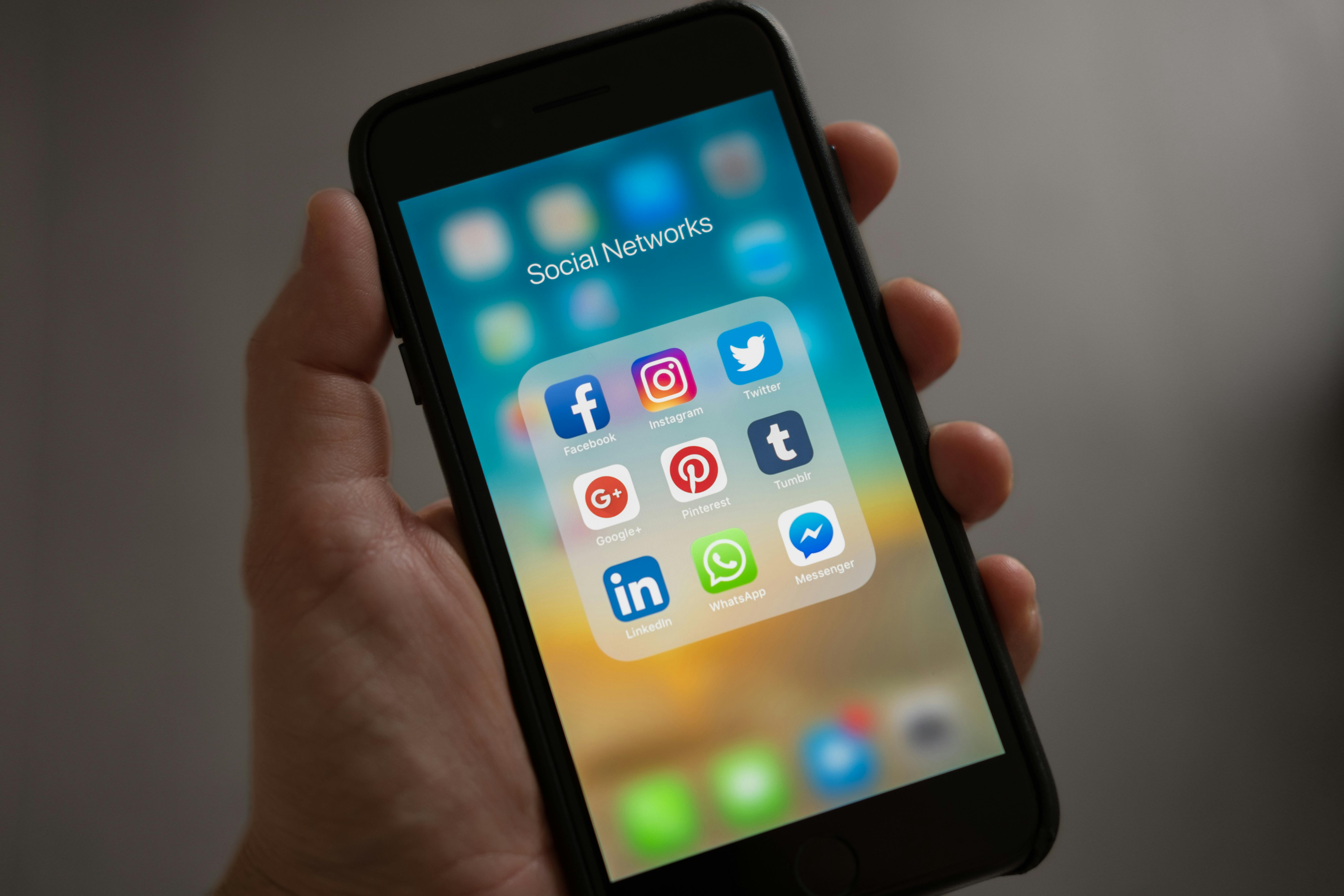
📍 Find Your Risk Level — Which Situation Matches You?
Jump to what matters most for your current situation. This is not a generic list — pick the one that matches where you are right now.
| Your Situation | Your Immediate Risk | Most Urgent Action | Start Here |
|---|---|---|---|
| You have a loan app installed that you downloaded from WhatsApp or Telegram | CRITICAL — your contacts and photos are almost certainly accessible to the app right now | Revoke all permissions immediately, then uninstall. Check FCCPC register before reinstalling anything | App #1 — Loan Apps |
| You have a phone cleaner, speed booster, or battery saver app from an unfamiliar developer | HIGH — these apps are the most common Trojan delivery system confirmed by NCC | Check if it requested Accessibility Services permission — if yes, uninstall immediately | App #2 — Cleaner Apps |
| You use a free VPN that you found on Google Play or downloaded from a link | MODERATE-HIGH — free VPNs sell your browsing data. FBI confirmed this globally in March 2026 | Check the developer name. If it has fewer than 100,000 reviews and no company website — delete it | App #3 — VPN Apps |
| You have an investment app promising 5–15% daily returns or "automatic profits" | CRITICAL — this is an unregistered Ponzi scheme. INTERPOL Red Card 2.0 targeted exactly this category | Do not invest more money. Check SEC Nigeria register immediately before the scheme collapses | App #4 — Investment Apps |
| You have any APK file installed that was sent to you via WhatsApp, Telegram, or a website link | CRITICAL — Kaspersky confirmed this is the #1 Android malware infection method in 2025–2026 | Uninstall the APK app immediately. Run Google Play Protect scan. Consider factory reset if behaviour is abnormal | App #5 — APK Files |
| You are just reading this to protect yourself or someone you know — no dangerous apps yet | LOW — you are ahead of the risk. Use this article to build your permanent app safety habits | Read the full article, then forward to three people in your contacts who are likely at risk | Key Takeaways |
| 💡 If more than one situation describes you — start from the highest-risk one (CRITICAL first) and work downward. Do not skip any CRITICAL situation assuming you can deal with it later. | |||
⚡ Is My Phone Already Compromised? Find Your Answer in 10 Seconds
🔴 YES — Almost Certainly Compromised If:
You installed any app from a WhatsApp or Telegram link in the last 12 months. OR you have a loan app that was not installed from the official Google Play Store. OR you granted Accessibility Services permission to any app you didn't choose for disability access. Act now — don't finish reading first.
⚠️ POSSIBLY Compromised If:
You use a free VPN app, have a loan app that requests contact access, have any "cleaner" or "booster" app with over 50 granted permissions, or have an investment app that was recommended by a WhatsApp contact promising daily returns. Run Google Play Protect scan now.
✅ LOW RISK If:
Every app on your phone was installed directly from Google Play, you review permissions before granting them, you use only FCCPC-registered loan apps verified at fccpc.gov.ng, and you have never installed an APK file from an outside link. Keep reading to maintain this.
🚨 Delete BEFORE Reading If:
You have a loan app that demanded Contacts + SMS + Photos during installation. Delete it right now. Not after reading. Now. Then change your banking password. Then read the rest of this article to understand the full extent of what may have been taken.
🌍 Why 2026 Is the Most Dangerous Year Yet for Nigerian Smartphone Users
Let me tell you something that is not being said loudly enough in Nigeria's tech conversation: your smartphone is the most valuable thing a fraudster wants access to. Not your car. Not your office laptop. Your phone. Because your phone has your BVN, your banking OTP delivery, your contacts, your photos, your location history, and your conversations. Give a criminal access to your phone and they have access to your entire financial and social life.
The numbers from 2025 into 2026 are genuinely alarming. Kaspersky's research found that Android threats grew by nearly 50 percent in 2025, with Trojan bankers — apps that steal banking credentials — seeing a nearly fourfold increase globally. In Africa specifically, INTERPOL's Operation Red Card 2.0 (December 2025 to January 2026) exposed over $45 million in fraud losses linked to mobile app scams across 16 countries including Nigeria. Nigerian authorities arrested members of multiple cybercrime syndicates. Two thousand, three hundred and forty-one devices were seized. One thousand, four hundred and forty-two malicious IPs, domains, and servers were taken down.
And in Nigeria specifically, the FCCPC blacklisted 45 loan apps in January 2026 alone — apps that were on Nigerian phones, inside Nigerian banking systems, reading Nigerian SMS messages, and sending shaming messages to Nigerian families. The NDPC confirmed in April 2026 that it is actively investigating "sharp sharp" loan apps for data privacy violations under the NDPA 2023.
This is not a theoretical threat. This is happening to real Nigerians on real phones in real time. The 8 categories below are the specific types of apps responsible.
💡 Did You Know?
As of January 2026, the FCCPC has blacklisted 45 loan apps and placed 103 more on a regulatory watchlist. Since 2023, the FCCPC and Google have removed over 80 illegal loan apps from the Nigerian Google Play Store. Many of them rebranded under new names and relaunched. This means the same dangerous operator may now be running a different app name on the same fraudulent infrastructure — which is why verifying at fccpc.gov.ng before downloading any loan app is non-negotiable.
📎 Source: Legit.ng, January 9, 2026 | Nairacompare.ng FCCPC tracker, updated May 2026 | Verify at fccpc.gov.ng
📱 The 8 Dangerous App Categories — Full Breakdown
1 Unregistered Loan Apps — The Most Dangerous Category in Nigeria
🔴 DANGER LEVEL: CRITICALWhat they are: Digital lending apps operating without FCCPC registration under the DEON Regulations 2025. They offer quick loans with minimal documentation — typically requiring only your BVN, phone number, and full device permissions including Contacts, SMS, Photos, and Storage.
What they actually do: They collect everything. Your contacts are stored on their servers from the moment you install the app — before you even apply for a loan. If you ever default or simply slow down repayment, they send threatening, defamatory messages to your employer, family, and friends using your contact list. The NDPC confirmed in April 2026 that several operators are sending personal photos of borrowers to their contacts as a shaming tactic. This is a direct violation of the NDPA 2023 but enforcement is still catching up.
Nigerian money reality: An unregistered loan app charging 45% in 7 days costs ₦13,500 on a ₦30,000 loan. That is an annualised interest rate of approximately 3,500%. Nigerian law under the FCCPC framework prohibits loan terms shorter than 60 days for digital lenders — 7-day loans are illegal.
How they reach Nigerians: WhatsApp groups. Church groups. Office group chats. Telegram channels. They spread peer-to-peer because their first victims become unwilling recruiters — the app mass-messages your contacts when you borrow, and some contacts download it thinking you personally recommended it.
🔴 Immediate Action: Go to fccpc.gov.ng and verify every loan app on your phone against the approved register. If it is not listed — revoke all permissions (Settings → Apps → [App Name] → Permissions → Revoke All), then uninstall. Change your banking password immediately after. Report the app to the FCCPC at complaints@fccpc.gov.ng. Legal options: illegal apps have no standing to sue you for unpaid debts through harassment — any harassment can be reported to both the NDPC and EFCC.
2 Fake Cleaner, Booster, and Battery Saver Apps
🔴 DANGER LEVEL: HIGHWhat they are: Apps claiming to speed up your phone, clean junk files, or extend battery life. They sound useful. They are among the most common vehicles for banking Trojans in Nigeria.
Why the NCC warned specifically about this category: The NCC's Computer Security Incident Response Team confirmed that an app called "Fast Cleaner" on the Google Play Store contained the Xenomorph banking Trojan — malware that works by overlaying a fake login page on top of your real banking app. When you think you are entering your banking password in the real OPay, Kuda, GTBank, or Access Bank app, you are actually typing it into a fake overlay that sends your credentials to criminals. Xenomorph also intercepts your SMS OTP messages, bypassing two-factor authentication entirely. The app had over 50,000 downloads before Google removed it.
The Accessibility Services red flag: These apps almost always request Accessibility Services permission during installation. On Android, Accessibility Services gives an app the ability to see everything on your screen — including your banking app's content — and interact with other apps on your behalf. No phone cleaner ever needs this permission. If any app requested it, consider your device potentially compromised.
What nobody tells you: Modern Android phones (Android 10+) do not meaningfully benefit from cleaner apps. Android manages its own memory. These apps exist not to help your phone but to gain elevated permissions that legitimate utility apps could never justify requesting. The "cleaning" is a fiction. The permission grab is the real product.
🔴 Immediate Action: Go to Settings → Accessibility → Installed Services. If any app is listed there that you did not specifically enable for accessibility purposes, disable it immediately and then uninstall the app. Then open each of your banking apps and check whether the login screen looks different from usual — any unexpected overlay or unusual visual is a warning sign. If found, change your banking password from a different device immediately and contact your bank.
3 Free VPN Apps from Unknown Developers
🟡 DANGER LEVEL: MODERATE-HIGHWhat they are: Virtual Private Network apps claiming to protect your privacy online, bypass website blocks, or secure your connection on public Wi-Fi. The free ones are almost universally the problem.
The fundamental contradiction: A free VPN has to make money somehow. Since you are not paying for the service, you are the product. Most free VPNs make money by selling your browsing data to data brokers, advertisers, and in some cases foreign government agencies. The FBI's March 31, 2026 PSA to the Internet Crime Complaint Center explicitly warned that many foreign-developed apps — including VPNs — can "persistently collect data and users' private information throughout the device, not just within the app or while the app is active." That means even when you are not actively using the VPN, it may still be logging your data.
Nigerian-specific risk: Many Nigerians use free VPNs to access content or bypass ISP blocks. The irony is that while they think they are protecting themselves, they are routing all their internet traffic — including banking sessions — through a server controlled by an unknown foreign company. If that VPN server is compromised or operated by a malicious actor, every banking credential entered while the VPN is active is potentially exposed.
Safe alternatives: ProtonVPN (Switzerland-based, free tier with no-logs policy, verified by independent auditors). Mullvad (paid, $5/month, anonymous payment accepted, no email required to sign up). Both have verified Nigerian server access and are not subject to Chinese data laws that affect many popular free VPNs.
Action: Check your VPN app's privacy policy. Google the developer name. If it is a Chinese company, a company with no verifiable physical address, or one that has fewer than 100,000 reviews on Google Play — delete it. Switch to ProtonVPN's free tier or simply avoid using a VPN for banking sessions entirely. Never connect to any banking app while a free VPN is running.
4 Fake Investment and High-Yield Savings Apps
🔴 DANGER LEVEL: CRITICALWhat they are: Apps claiming to offer guaranteed daily returns of 5–15% or more on investments. They use names that sound professional, often mimicking real fintech brands. They promote themselves through WhatsApp groups, Telegram channels, Instagram influencer posts, and "testimonials" from members who received early payments.
Why they always collapse: These are Ponzi schemes. Early investors receive returns funded by new investors' deposits, not by actual investment activity. The moment new investment slows — which always happens — the scheme collapses. Operators disappear with all remaining funds. INTERPOL's Operation Red Card 2.0 in January 2026 specifically targeted "high-yield investment scams" across Africa, exposing $45 million in losses. Nigerian police arrested members of a ring using phishing apps and social engineering specifically targeting high-yield investment victims.
The red flags that are always present: Daily returns that exceed what any legitimate investment vehicle offers (Nigeria's Treasury Bills pay approximately 20–27% annually — any app promising 10% per day is mathematically impossible from legitimate trading). No SEC Nigeria registration. No physical office address. Withdrawal problems that appear suddenly. Referral requirements that make your earnings contingent on recruiting others.
The cruel reality: Many Nigerians know intellectually that something seems too good to be true. But the economic pressure — rising costs, job scarcity, naira devaluation — creates a genuine desperation that fraudsters exploit deliberately. They know exactly what they are doing. They target people who need the returns to be real.
🔴 Immediate Action: Verify any investment app at SEC Nigeria's regulated entities register. If it is not listed, it is operating illegally. If you have money currently invested in an unregistered platform — withdraw it immediately, before they close withdrawals. They always close withdrawals before collapsing. See our full guide on fake investment platforms in Nigeria and their red flags.
5 APK Files Installed from WhatsApp, Telegram, or External Links
🔴 DANGER LEVEL: CRITICALWhat they are: Any Android application file (APK) that was not installed directly from the official Google Play Store. These include apps shared as files in WhatsApp groups, Telegram channels, websites claiming to offer "premium" versions of paid apps for free, or "mod" versions of popular apps like Spotify, Netflix, or Instagram.
Why Kaspersky called this the "Final Boss" of Android threats: Kaspersky's January 2026 analysis stated that malicious APK installation packages "have always been the Final Boss among Android threats, despite Google's multi-year efforts to fortify the OS." When you install an APK from outside the Play Store, you bypass every security check Google applies to Play Store apps. The APK can request permissions that the Play Store would never allow, run background processes that the store would flag, and operate completely outside Google Play Protect's scope.
How Kaspersky says they spread: In 2025–2026, bad actors primarily distribute malware via messaging apps by sliding malicious files into DMs and group chats. The installation file usually has an enticing name — like "party_pics.jpg.apk" or "NNPC_payment_portal.apk" — and comes with a message explaining how to bypass Android security warnings to install it. Once installed on one device, the malware often automatically sends copies of itself to everyone in the victim's contact list via WhatsApp.
The "free premium app" trap that gets educated Nigerians: This is the category that catches people who consider themselves tech-savvy. You want Spotify Premium. Someone in a tech group sends you a "modded" APK. You install it. The music works perfectly. You never notice that it is simultaneously reading your banking OTPs and sending them to a server in Eastern Europe.
🔴 Immediate Action: Go to Settings → Apps → See All Apps. Any app without a Play Store icon or that shows an unusual source is an APK install. Uninstall it. Go to Settings → Security → Unknown Sources and ensure it is turned OFF. Run Google Play Protect scan immediately: Play Store → Profile → Play Protect → Scan. If the scan finds threats, follow all removal recommendations. If your phone behaves abnormally, the NCC's CSIRT specifically recommends a factory reset.
6 Stalkerware and Hidden Monitoring Apps
🔴 DANGER LEVEL: HIGH (and legally complex)What they are: Apps designed to secretly monitor a phone's activity — including location tracking, call recording, SMS reading, and WhatsApp message logging — without the phone owner's knowledge. They are marketed as "parental control" or "employee monitoring" tools but are frequently used for partner surveillance.
What happened in 2026: Malwarebytes reported in early 2026 that a stalkerware company that had leaked millions of users' personal information took all its assets offline. A company called Spyzie, which had been advertising itself as a tool to monitor children's phones "100% hidden and invisible so you never get caught" — and had leaked data on millions of surveillance victims — disappeared entirely. The app had been collecting location data, messages, contacts, WhatsApp messages including deleted ones, Facebook messages, and call logs from victims' phones without their knowledge.
The Nigerian context: Jealous partners, controlling family members, and abusive relationships are real situations where stalkerware is installed on phones in Nigeria. If your partner, parent, or employer has ever had physical access to your phone without your supervision, checking for hidden monitoring apps is not paranoia — it is self-protection. Under the NDPA 2023, installing monitoring software on another person's device without their explicit consent is a data privacy violation subject to prosecution.
Action — How to Check: Go to Settings → Battery → See Usage Details. Any app using battery in the background that you do not recognise may be a hidden monitor. Check Settings → Accessibility → Installed Services for any unfamiliar app. Check Settings → Device Admin Apps — stalkerware often registers as a device administrator to prevent uninstallation. If you find one and feel unsafe deleting it (because an abusive person installed it), contact the FCCPC or a trusted person first for safety planning before removing it.

7 Fake AI Chat and Productivity Apps from Unknown Developers
🟡 DANGER LEVEL: MODERATE-HIGH (and growing fast)What they are: Apps claiming to offer access to ChatGPT, Claude, Gemini, or other AI tools — but from unofficial developers with no affiliation to Anthropic, OpenAI, or Google. They often appear as "AI Assistant," "ChatGPT Pro," "AI Writer Free," or "Claude AI Chat" on the Play Store and in app search results.
Why 2026 specifically: Kaspersky identified "the hype surrounding AI apps" as one of the primary waves that scammers are riding in 2025–2026. As real AI tools like ChatGPT become increasingly known to Nigerians through social media, fraudsters create copycat apps that mimic the real thing while secretly harvesting your data, charging hidden subscription fees, or serving as Trojan entry points for other malware.
What actually happens: You download what you think is ChatGPT. It asks for your email, location, and contacts during signup. It shows you a mediocre AI chatbot that barely works. Meanwhile, your email address is sold to spam lists, your location is logged, and a recurring subscription charge of $9.99 appears on your bank statement three days later from a company name you don't recognise.
The real AI apps and where to find them: The official ChatGPT app is developed by OpenAI on the Play Store — search "ChatGPT" and confirm the developer is "OpenAI." Claude by Anthropic is available at claude.ai in your browser. Gemini is developed by Google LLC. Any other developer name on these products is a fake.
Action: Check every AI app on your phone. Go to the app's Play Store listing and verify the developer name. If it is not the official company, delete it. Check your bank statement for any unfamiliar recurring charges from apps you downloaded in the last 6 months. Report unauthorised charges to your bank immediately. See our guide on legitimate AI tools for Nigerian users in 2026.
8 Social Media Clones, Mods, and Unofficial App Versions
🔴 DANGER LEVEL: HIGHWhat they are: Modified or cloned versions of legitimate social media apps — WhatsApp Business Pro, Instagram Dark Mode Mod, TikTok Plus, Facebook Lite from unknown developers, or "dual WhatsApp" apps that are not the official WhatsApp Business from Meta.
Why they are dangerous: These apps have full access to your WhatsApp messages, Instagram DMs, Facebook account, and all associated contact information — because that is the access required for them to function as social media apps. But unlike the real apps, they are not subject to Meta's or any other legitimate company's privacy policy. Your messages, photos, and contact list go to an unknown developer's server. Cloned WhatsApp apps specifically have been used to perform NFC relay attacks — where fraudsters intercept payment data from banking apps running on the same phone.
The WhatsApp dual-SIM trap: Many Nigerians use dual-SIM phones and want WhatsApp on both numbers. The legitimate solution is WhatsApp's own built-in dual account feature (Settings → Account → Add Account on official WhatsApp). Any third-party app offering this functionality is accessing your WhatsApp data stream — which includes your banking OTPs that arrive via SMS or the same notification system WhatsApp uses.
Action: Check every social media app on your phone against the official Play Store listing. The official WhatsApp is developed by WhatsApp LLC. Official Instagram is by Instagram. Official TikTok is by TikTok Pte. Ltd. Official Facebook is by Meta Platforms. Any other developer name on any of these apps is a clone. Delete and reinstall from the official Play Store. For dual WhatsApp, use the official built-in dual account feature only.
⚖️ Risk-Level Scoring — All 8 Dangerous App Categories at a Glance
Based on confirmed Nigerian incidents, regulatory blacklists, INTERPOL data, and verified cybersecurity research as of May 2026.
| App Category | Financial Risk /10 | Data Privacy Risk /10 | Difficulty to Detect /10 | Regulatory Status (Nigeria) | Who Should Be Most Alert |
|---|---|---|---|---|---|
| Unregistered Loan Apps | 9/10 — Hidden charges, BVN theft | 10/10 — Contacts & photos stolen | 5/10 — Easy once you know the FCCPC test | Blacklisted — 45 delisted Jan 2026 | Anyone who has borrowed digitally or received a WhatsApp loan referral |
| Fake Cleaner Apps | 8/10 — Banking credential theft | 9/10 — Full device access via Accessibility | 8/10 — Looks like a utility app | No regulation — reliant on Play Store removal | Anyone using an Android phone for mobile banking |
| Free VPN Apps (unknown devs) | 6/10 — Data sold to third parties | 8/10 — All browsing data routed through foreign servers | 9/10 — Appears helpful and privacy-focused | No Nigerian regulation — FBI warned globally | Nigerians using VPNs for banking or accessing restricted content |
| Fake Investment Apps | 10/10 — Total loss of invested funds | 6/10 — BVN and bank details collected | 8/10 — Early returns make it feel legitimate | Illegal — not SEC registered; INTERPOL targeted | Anyone in a WhatsApp investment group or who received an investment referral |
| WhatsApp/Telegram APKs | 9/10 — Banking Trojans, ransomware possible | 10/10 — Full device compromise possible | 5/10 — Easy to spot if you know what an APK is | Illegal malware distribution — INTERPOL seized 2,341 related devices | Anyone who has installed any app from outside the Play Store |
| Stalkerware | 4/10 — Financial risk from data exposure | 10/10 — Complete surveillance of phone activity | 9/10 — Designed to be invisible | Violates NDPA 2023 — NDPC has jurisdiction | Anyone in a controlling relationship or who has had phone access by a third party |
| Fake AI Apps | 6/10 — Hidden subscriptions, credential theft | 7/10 — Email, location, contacts harvested | 8/10 — Looks exactly like the real thing | No Nigerian regulation yet — growing category | Anyone who downloaded an AI app from a source other than the official developer |
| Social Media Clones/Mods | 7/10 — Message interception, payment redirect | 9/10 — Full social media account access | 6/10 — Different developer name is the giveaway | Violates platform terms; potential NDPA violation | Dual-SIM users, anyone using "modded" WhatsApp or Instagram |
| ⚠️ Risk scores based on confirmed Nigerian incidents and regulatory actions: FCCPC (Jan 2026), INTERPOL Red Card 2.0 (Feb 2026), FBI IC3 PSA (March 31, 2026), Kaspersky Android Threats Report (Jan 2026), NDPC data (April 2026). Verify financial apps at fccpc.gov.ng and investment apps at sec.gov.ng/regulated-entities before use. | |||||
The most alarming finding in this table: unregistered loan apps and APK file malware both score 10/10 on data privacy risk — meaning they are capable of complete access to everything on your device. They are also the two most common entry points for Nigerian smartphone compromise in 2025–2026. Delete any APK-installed app and verify every loan app against the FCCPC register. Those two actions alone eliminate the highest-level risks on this list.
🛡️ Step-by-Step: How to Clean Your Phone and Protect Yourself Today
This is the honest guide. Not the one that sounds good. The one that works in Nigerian conditions — with intermittent NEPA, limited data, and a phone that may already have something on it.
Audit Your Installed Apps — Takes 10 Minutes
Go to Settings → Apps → See All Apps. Scroll through every single app. For every app you see, ask three questions: Do I know what this app is? Did I install it intentionally from the Play Store? Do I still use it? Any app that fails any of these questions needs the next step before you decide whether to keep it.
What goes wrong here: People see 80 apps and get overwhelmed and stop. Don't stop. Start from the bottom of the list where unfamiliar apps often hide. Give yourself 10 uninterrupted minutes. NEPA will interrupt you — do it while your phone is charged or on a powerbank.
Time: 10 minutes. Nigerian condition: do this while your phone has power and you are not in the middle of a transaction.
Check Every Loan App Against the FCCPC Register
For every loan app on your phone, go to fccpc.gov.ng and search the app's name in their approved register. If it is not listed, the FCCPC considers it operating illegally. Revoke all permissions (Settings → Apps → [App] → Permissions → toggle off each permission) and uninstall.
Friction warning: The FCCPC website sometimes loads slowly on Nigerian mobile data. Use Wi-Fi if available, or use the Nairacompare.ng updated tracker at nairacompare.ng which maintains a frequently updated list in a more mobile-friendly format.
Time: 5 minutes per loan app. Worth every second.
Check Accessibility Services for Unauthorised Apps
Go to Settings → Accessibility → Installed Services (or Downloaded Apps). Every app listed here has elevated power over your device. The ONLY apps that should appear here are apps you specifically chose for accessibility — screen readers, hearing aid connectors, disability tools. Any cleaner app, loan app, or productivity app listed here is a critical security threat. Disable the toggle, then go to Settings → Apps → find that app → Uninstall.
Success looks like: Accessibility Services shows only apps you recognise and intentionally enabled for disability access. If it shows something called "Phone Optimizer," "Master Cleaner," "Speed Booster," or any loan or investment app name — that is a confirmed threat.
Run Google Play Protect Scan
Open the Google Play Store → tap your profile photo (top right) → tap "Play Protect" → tap "Scan." This runs Google's malware detection across all installed apps. If it finds anything suspicious, follow all recommendations immediately. Also check that "Scan apps with Play Protect" and "Improve harmful app detection" are both toggled ON.
What nobody tells you: Play Protect does not catch everything — especially APK-installed apps it was never given permission to scan. Do this step AFTER manually removing suspicious apps, not instead of it.
Time: 3–5 minutes.
Change Your Banking Passwords and Report Any Suspicious Activity
If you found and removed any Category 1, 2, or 5 app from your phone — change your banking passwords immediately. Log into each banking app, go to Security Settings, and change your transaction PIN and login password. Enable transaction notifications via SMS so you see every debit immediately. Check your last 30 days of transaction history for any unfamiliar debit — any debit you don't recognise should be reported to your bank's fraud line immediately.
Nigerian banks' fraud lines (save these now): GTBank: 0700-482-6328 | Access Bank: 01-2712005 | First Bank: 07080625000 | Zenith Bank: 012787000 | UBA: 07002255822. If you bank with OPay, Kuda, or PalmPay, report through the app's in-app support immediately — these platforms respond faster than phone lines.
💡 Did You Know? — INTERPOL Was in Nigeria for This
Operation Red Card 2.0 (December 2025 to January 2026) was a joint INTERPOL operation across 16 African countries specifically targeting mobile app fraud. In Nigeria, police dismantled a high-yield investment fraud ring that used phishing apps and social engineering. A separate Nigerian cybercrime syndicate was arrested for compromising a major telecom provider's internal systems to steal airtime and data for illegal resale. Total arrests across Africa: 651. Total devices seized: 2,341. Total fraudulent domains and servers taken down: 1,442. Source: INTERPOL official press release, February 18, 2026.
📎 Source: INTERPOL.int, Major operation in Africa targeting online scams, February 18, 2026
🔄 What's Changed in 2026 — Major Regulatory Updates
1. FCCPC DEON Regulations 2025 — Now Fully Enforced
The Digital, Electronic, Online and Non-Traditional Consumer Lending Regulations 2025 took full effect in January 2026. The deadline for compliance was January 5, 2026. After that date, any digital lender not registered with the FCCPC is operating illegally. As of May 2026, 45 apps have been blacklisted and 103 are on a regulatory watchlist. This is the most significant legal change affecting Nigerian smartphone users in the loan app space since 2023. If you downloaded any loan app before January 2026 and have not re-verified its FCCPC status — do it now.
2. FBI Global Warning — March 31, 2026
The FBI published Public Service Announcement IC3-2026 specifically warning that foreign-developed apps can collect user data persistently — even when the app is not actively open. The concern is global but specifically relevant to Nigerian users who routinely install apps from developers with no verified presence. The FBI's guidance: limit permissions, remove unused apps, stick to official app stores. Read the full PSA at ic3.gov.
3. NDPC Actively Investigating Loan Apps for NDPA 2023 Violations
The Nigeria Data Protection Commission confirmed in April 2026 (Legit.ng, April 2026) that it is actively investigating digital lenders accessing borrowers' contacts and sending personal images without consent — direct violations of the NDPA 2023. This is significant because it means Nigerians who have suffered contact harassment from illegal loan apps now have a clear regulatory body to report to: ndpc.gov.ng. The NDPC can prosecute data privacy violations even when the FCCPC addresses the lending illegality separately.
4. Kaspersky Confirmed Android Threats Nearly Doubled in 2025
The year 2025 saw a record-breaking number of attacks on Android devices globally. Kaspersky's preliminary data showed Android threats grew by nearly 50 percent — and Trojan bankers, the malware category that steals banking credentials, saw a nearly fourfold increase. For Nigerian Android users who conduct most of their banking on phones, this is not background noise. This is the environment your phone exists in right now. Source: Kaspersky Blog, January 27, 2026.

📋 Expert Analysis — What Regulators, INTERPOL, and Security Firms Are All Saying
Regulatory Position
The FCCPC's enforcement of the DEON Regulations 2025 represents Nigeria's most aggressive regulatory action against predatory digital lending since the sector's emergence. The commission's National Commissioner confirmed that the goal is "to improve transparency and consumer confidence rather than disrupt legitimate businesses." This signals that the regulatory crackdown on dangerous loan apps is accelerating — any app that has not completed registration is at active risk of delisting and its operators face prosecution. Nigerians who have been harassed by blacklisted apps have legal grounds to seek redress through the FCCPC.
📎 Source: FCCPC enforcement announcement via Legit.ng, April 2026 | Verify at fccpc.gov.ng
What the Data Shows
INTERPOL's Operation Red Card 2.0 data shows that Nigerian users are disproportionately targeted among African nations — because Nigeria has the continent's largest smartphone base (84 million internet users per GSMA 2025), the most active digital lending market, and a regulatory environment that, until the DEON Regulations 2025, had significant enforcement gaps. The $45 million in identified fraud losses across 16 African nations understates the total because most victims never report to law enforcement. The EFCC estimates that actual mobile app fraud in Nigeria alone could be 3–5 times higher than reported figures.
📎 Source: INTERPOL Operation Red Card 2.0, February 18, 2026 | GSMA Mobile Economy Sub-Saharan Africa 2025
Daily Reality NG Analysis
What this means practically for a 28-year-old market trader in Aba with an Infinix Android, MTN data, and three different loan apps on their phone: the regulatory tools to protect them now exist — FCCPC, NDPC, NCC-CSIRT — but the enforcement still requires the individual to be aware enough to check the register and report violations. The most powerful action any Nigerian can take right now is not to wait for enforcement to reach them — it is to verify, delete, and report today. The agencies are there. The laws are in place. But the person who has to take the first step is you, with your phone, today.
⚡ What These Dangerous Apps Mean for Your Wallet, Your Reputation, and Your Daily Life
💰 The Wallet Impact
A Nigerian who installs an unregistered loan app and borrows ₦30,000 at a 45% weekly interest rate, then cannot repay within 7 days, faces a compounding debt spiral: ₦30,000 becomes ₦43,500 in week one, ₦63,075 in week two, ₦91,458 in week three — without considering the additional harassment costs of missed work, destroyed professional relationships, and psychological damage. The actual financial loss goes far beyond the loan. Emeka's job loss from the opening story cost him a monthly salary of approximately ₦120,000. One ₦30,000 loan from an illegal app destroyed ₦120,000/month in income. That is the real cost of a dangerous app on your phone. Calculated from standard illegal loan app interest structures as documented by the FCCPC and Punch Newspapers, July 2025.
🗓️ The Daily Life Impact
Joshua is 34, works in a trading company in Onitsha. In February 2026, a phone cleaner app he installed in December 2025 had been silently overlaying fake login screens on his banking apps. He never noticed. Then one Thursday morning at 9am, he tried to buy goods at the Onitsha Main Market and discovered his GTBank account had been drained — ₦187,000 withdrawn across three transactions the previous night. His bank confirmed all three transactions passed OTP verification. The Xenomorph-type malware had intercepted his OTP SMS messages before they reached him. He spent 6 weeks in dispute resolution, missed his business cycle, and borrowed from family to restock. The cleaner app had been on his phone for 47 days before it struck.
🏪 The Business Impact
A small business owner in Warri using a fake investment app to park excess cashflow of ₦500,000 between business cycles loses that entire amount when the scheme collapses — as all Ponzi schemes do. At current naira rates, ₦500,000 represents approximately 2–4 months of typical SME operating capital. The loss of that capital does not just hurt the business owner — it affects their employees, their suppliers, and their ability to honour customer commitments. INTERPOL's $45 million total fraud exposure from Operation Red Card 2.0 across 16 countries translates to devastated small businesses across Nigeria. The majority of high-yield investment scam victims are not wealthy individuals — they are everyday Nigerians trying to protect their savings from inflation.
🌍 The Systemic Impact
Nigeria's NCC data shows over 84 million internet users as of 2025, with smartphone penetration growing rapidly in lower-income brackets where digital literacy about app security is lowest. If even 5% of Nigerian smartphone users have at least one dangerous app category installed — that is 4.2 million people potentially exposed to data theft, banking fraud, or harassment. The aggregate financial and reputational damage from app fraud across Nigeria's mobile ecosystem is immeasurable but certainly runs into billions of naira annually based on reported cases alone.
📎 Source: GSMA Mobile Economy Sub-Saharan Africa 2025 | INTERPOL Operation Red Card 2.0, February 18, 2026
✅ Your Action in the Next 4 Minutes
Open Google Play Protect right now and run a scan while finishing this article.
Play Store → Profile picture (top right) → Play Protect → Scan. Takes 3–4 minutes. If it finds anything, follow all recommendations immediately. If it finds nothing, your risk is lower — but still complete the manual app audit in Step 1 of the guide above. Google Play Protect cannot detect every threat, especially APK-installed apps.
🚨 Warning — The Secondary Scam Targeting People Who Suffered App Fraud
This is important and barely anyone talks about it: after a dangerous app has victimised you — whether it drained your account, shamed your contacts, or stole your data — a second wave of scammers often appears claiming they can recover your money or solve your problem for a fee.
- Fake "loan app reversal" services on Instagram and Telegram that charge ₦5,000–₦50,000 to "negotiate with" or "hack" the loan app on your behalf. No such service is legitimate. There is no technical recovery of data already stolen.
- Fake EFCC agents who contact you claiming to be investigating the app that victimised you and asking for your banking details "to process your refund." The EFCC never contacts victims this way. Report at efcc.gov.ng or call 08093322644 — but only use the official channels.
- Fake "app blacklist removal" services claiming they can get your name removed from a loan app's blacklist for a fee. This is fiction — there is no shared blacklist of borrowers that a paid service can remove you from.
- One thing nobody warns about: The shame of having been victimised by a loan app scam causes many Nigerians to pay a second scammer rather than admit to trusted contacts or family that they fell for it. If this happened to you — you are not stupid. These apps are professionally engineered to trap smart people in desperate circumstances. The only second payment that helps is a report to the NDPC and FCCPC.
Disclosure: This article contains links to external platforms including FCCPC, NDPC, EFCC, SEC Nigeria, Kaspersky, INTERPOL, and ProtonVPN. None of these links are affiliate links — they are regulatory and informational resources. Daily Reality NG does not earn commissions from any security or fintech product mentioned in this article. All recommendations are based on verified regulatory status and independent security research.
Disclaimer: This article is for educational and digital safety awareness purposes only. It does not constitute legal advice. If you have suffered financial loss from a dangerous app, consult a qualified legal practitioner in addition to reporting to regulatory bodies. App statuses and regulatory lists change — always verify directly with the FCCPC, SEC, and NCC before acting on specific app information.
📌 Key Takeaways — Everything That Matters, One Page
- The FCCPC blacklisted 45 loan apps in January 2026 alone — any loan app not verified at fccpc.gov.ng is operating illegally and is not bound by consumer protection rules in Nigeria
- INTERPOL's Operation Red Card 2.0 (December 2025–January 2026) exposed $45 million in mobile app fraud across Africa including Nigeria — this is not a small or localised problem
- The FBI's March 31, 2026 PSA confirmed that foreign-developed apps can collect data from your device persistently even when the app is not open
- Fake cleaner and battery saver apps are the most common delivery vehicle for banking Trojans in Nigeria — the NCC-CSIRT confirmed this with the Xenomorph malware discovery
- Any cleaner, loan, or investment app that requested Accessibility Services permission during installation has elevated power over everything on your device — check Settings → Accessibility → Installed Services now
- Free VPN apps from unknown developers route your banking session through unverified foreign servers — never use a free VPN from an unknown developer while accessing banking apps
- Fake high-yield investment apps are Ponzi schemes — every one of them collapses. The timing is the only unknown. If you have money in one, withdraw it now while withdrawals are still open
- APK files from WhatsApp and Telegram are Kaspersky's "Final Boss" of Android threats — they bypass every Google security layer and cannot be scanned by Play Protect
- The NDPC confirmed in April 2026 that it is actively investigating loan apps for NDPA 2023 violations — Nigerians harassed by loan apps now have a clear regulatory body to report to at ndpc.gov.ng
- Illegal loan apps have NO legal standing to collect debt through harassment, contact-shaming, or photo distribution — these are criminal violations under the NDPA 2023 that can be reported to both the NDPC and EFCC
- The four verification checks that protect 90% of Nigerians from app fraud: (1) FCCPC register for loan apps, (2) SEC register for investment apps, (3) Play Store developer name for all apps, (4) Accessibility Services audit every 30 days
- Google Play Protect runs on every Android device — it is not turned off by default and you should run a manual scan monthly: Play Store → Profile → Play Protect → Scan
- If any loan app has already accessed your contacts and you are being harassed — change banking passwords, report to NDPC and FCCPC, inform key contacts to ignore messages, and do not pay any "recovery service"
- The mandatory post-article action: Go to Settings → Apps right now, find any app you don't recognise, and check it against the FCCPC register. Takes 10 minutes. Could save you ₦187,000 or more.
- Forward this article to at least three people in your contacts who use loan apps, investment apps, or received a WhatsApp APK in the last 12 months — you may be preventing what happened to Emeka
📖 The Story of How I Built Daily Reality NG — And Why Digital Safety Articles Like This One Exist
I built Daily Reality NG specifically because Nigerians deserve honest information that protects them — not traffic-chasing headlines. Read the full story of how this publication was built and what drives every article I publish.
→ How I Built Daily Reality NG: 426 Posts, 150 Days — The Real Story
Protect Your Contacts Too — Verify Your Loan App Right Now
Every dangerous app on your phone can reach 200+ people in your contacts. One check protects your entire network.
Check FCCPC App Register — Free →❓ Frequently Asked Questions (15 Questions)
What apps should Nigerians delete immediately in 2026?
Nigerians should immediately delete unregistered loan apps not on the FCCPC approved list, fake cleaner or battery saver apps that ask for accessibility permissions, unverified VPN apps, fake investment apps promising daily returns, APK files downloaded from WhatsApp or Telegram, stalkerware, fake AI apps from unofficial developers, and social media mod apps. Check fccpc.gov.ng to verify any financial app before keeping it. 📎 Source: FCCPC January 2026 | NCC-CSIRT advisory
How do I know if a loan app is legal in Nigeria?
Check the FCCPC register at fccpc.gov.ng. Any digital lender operating in Nigeria must be registered under the DEON Regulations 2025. As of January 2026, the FCCPC has blacklisted 45 loan apps and placed 103 more on a regulatory watchlist. If the app is not on the approved list, do not use it. 📎 Source: FCCPC, Legit.ng January 9, 2026
Can a phone cleaning or battery saver app steal my bank details?
Yes. The NCC's Computer Security Incident Response Team confirmed that an app called Fast Cleaner on the Google Play Store contained the Xenomorph banking Trojan — malware that steals banking credentials by overlaying fake login pages on top of real banking apps. It also intercepts SMS messages to bypass two-factor authentication. Any cleaner app that requests Accessibility Services permission is a serious red flag. 📎 Source: NCC-CSIRT advisory, February 2022 | Kaspersky 2026 Android Threats Report
What is the FCCPC and why does it matter for app safety in Nigeria?
The Federal Competition and Consumer Protection Commission (FCCPC) is Nigeria's regulatory body that oversees digital lending and consumer protection. Under the DEON Regulations 2025, all digital lenders must register with the FCCPC. Any app that is not on its approved register is operating illegally and is not bound by consumer protection rules. Visit fccpc.gov.ng to verify any loan app. 📎 Source: FCCPC official website | Legit.ng January 2026
Why are fake loan apps dangerous beyond just high interest rates?
Fake loan apps steal your personal data including contacts, photos, and location. They use that data to send shaming messages to your family and employer when you cannot repay. The NDPC confirmed in April 2026 that several loan apps were accessing borrowers' contact lists and sending personal images without consent — a direct violation of the NDPA 2023. 📎 Source: NDPC via Legit.ng, April 2026
Are there free VPN apps that are safe to use in Nigeria?
Most free VPNs are dangerous because they sell your browsing data. The FBI warned in March 2026 that many free VPNs collect and store user data overseas. If you need a VPN, use ProtonVPN's free tier (Switzerland-based, no-logs policy, verified by independent auditors) at protonvpn.com. Never use a free VPN from an unknown developer during banking sessions. 📎 Source: FBI IC3 PSA, March 31, 2026 | ic3.gov/PSA/2026/PSA260331
What happened in Operation Red Card 2.0 that affects Nigerians?
Operation Red Card 2.0 (December 2025 to January 2026) was an INTERPOL operation across 16 African countries including Nigeria. Nigerian authorities dismantled a high-yield investment fraud ring using phishing apps and social engineering. Total fraud exposure across Africa: $45 million. Total arrests: 651. Total devices seized: 2,341. 📎 Source: INTERPOL.int, February 18, 2026
How do I safely report a dangerous app to Nigerian authorities?
Report illegal loan apps to the FCCPC at fccpc.gov.ng or email complaints@fccpc.gov.ng. Report data privacy violations to the NDPC at ndpc.gov.ng. Report fraud and cybercrime to the EFCC at efcc.gov.ng or call 08093322644. Also report directly to Google Play — search the app, scroll to flag, select Misleading App or Scam.
What permissions should I never give an app on my Android phone?
Never grant Accessibility Services to any app you did not choose for disability access — this lets an app see everything on your screen including banking passwords. Never grant contact access to a loan app, cleaner app, or investment app. Never grant SMS access to any app except your primary messaging app. Never enable Unknown Sources to install APK files from WhatsApp or Telegram — this is how most Nigerian phone malware enters devices.
Can a WhatsApp-shared APK really contain malware?
Yes — and it is one of the most common infection methods in Nigeria in 2026. Kaspersky reported Android threats grew by nearly 50% in 2025, with the primary distribution method being messaging apps like WhatsApp and Telegram. Malicious APK files often have enticing names and come with instructions on how to bypass Android security warnings. Once installed, malware often spreads itself to your entire contact list. 📎 Source: Kaspersky Blog, January 27, 2026
Is TikTok dangerous for Nigerian users in 2026?
TikTok is a legitimate platform but collects significant device data. The bigger risk for Nigerians is fake TikTok mod APKs shared on WhatsApp, not the official app. If you use TikTok, limit permissions: deny microphone when not recording, deny contacts, deny location tracking. The official TikTok app is from "TikTok Pte. Ltd." on the Play Store — any other developer is a clone. 📎 Source: FBI IC3 PSA, March 31, 2026
What should I do if a loan app already has access to my contacts?
Act immediately: Settings → App → Revoke all permissions (especially Contacts, SMS, Storage), then uninstall. Change your banking PINs and passwords. Inform key contacts that they may receive harassing messages and to ignore them. File a report with the FCCPC at fccpc.gov.ng and the NDPC at ndpc.gov.ng. If money was taken illegally, report to the EFCC. Illegal apps have no legal standing to collect debt through harassment.
Are antivirus apps for Android worth installing in Nigeria?
For most Nigerians, Google Play Protect (already built into Android) is sufficient if kept updated. The biggest risk is not sophisticated malware but willingly installing dangerous APKs. If you visit unfamiliar sites or download files from unofficial sources, Avast Mobile Security free tier adds protection. Avoid unknown antivirus apps — ironically, some fake antivirus apps are themselves malware.
What is the safest way to get a digital loan in Nigeria in 2026?
Use only FCCPC-registered lenders. Verified options as of 2026 include FairMoney, Carbon, Branch, Renmoney, and Aella Credit — all licensed. Verify any app at fccpc.gov.ng before downloading. Never borrow from an app shared via WhatsApp, that requires upfront contacts or SMS access, or offers 7-day repayment windows — all illegal under FCCPC DEON Regulations 2025 and Google's loan app policy. 📎 Source: Punch Newspapers, July 2025 | FCCPC DEON Regulations 2025
How do I clean my phone if I think I already have a dangerous app?
Go to Settings → Apps → See All Apps and look for any app you don't recognise. Uninstall suspicious apps. Go to Settings → Accessibility → Installed Services and disable any unfamiliar app. Run Google Play Protect: Play Store → Profile → Play Protect → Scan. Change all banking passwords and PINs immediately. If your phone behaves abnormally after uninstalling (battery drain, screen flickers, data spikes), perform a factory reset — the NCC's CSIRT specifically recommends this for infected devices. 📎 Source: NCC advisory | Kaspersky Blog, January 2026

💬 Let's Talk About This — Your Thoughts
I read these comments. If you have a question, a situation this article didn't cover, or a story about a dangerous app in Nigeria, this is the place to share it.
- After reading this article, did you find any app on your phone that you are now going to delete? Which category did it fall into?
- Have you or someone you know experienced contact-shaming from a loan app in Nigeria? What happened — and what did you do?
- For the people who knew about the FCCPC blacklist before this article — did you actually check your apps against it? What did you find?
- How many cleaner or booster apps do you currently have on your phone — and did you know they were potentially the most dangerous category?
- Has your bank account ever been drained through mobile banking and you couldn't identify how? After reading about Xenomorph-type banking Trojans — do you now have a theory?
- Have you ever installed an APK file from a WhatsApp group? What made you trust it at the time?
- For the investment app victims — at what point did you first suspect the platform was a Ponzi scheme? And what made you stay anyway?
- Which of the 8 app categories do you think is most unknown among Nigerians right now — the one that people are least aware is dangerous?
- If you received a WhatsApp message from a contact telling you about a great loan app or investment platform — how do you decide whether to trust it or check it first?
- After reading about the FBI's March 2026 warning about free VPN apps — are you still comfortable with the VPN you currently have on your phone?
- What do you think is the single biggest thing the Nigerian government should do RIGHT NOW to protect Nigerian smartphone users from dangerous apps?
- Knowing what you know about INTERPOL Operation Red Card 2.0 targeting Nigeria — were you aware this level of international law enforcement coordination was happening in our country's mobile space?
- For anyone who has tried to report a dangerous app to EFCC, FCCPC, or NDPC — what was that experience like? Did anyone respond?
- Emeka's story in the opening — the job loss from a loan app's shaming messages — is this a pattern you have witnessed firsthand in your own workplace or community?
- What do you think is the most underrated phone safety habit that Nigerians should build — that most people don't currently practice?
A man in Port Harcourt lost his job over a ₦30,000 loan app. A trader in Onitsha lost ₦187,000 to a fake phone cleaner. These are not statistics. These are real people with real families and real bills — made significantly worse by apps that had no business being on their phones.
I wrote this article specifically so that the next time someone you know opens WhatsApp and sees a loan app recommendation from a group — they pause, check the FCCPC register, and say no. That one moment of hesitation is what this article was written to create.
Forward it to three people. Save the FCCPC link. Run the Play Protect scan. Check your Accessibility Services. These things take 15 minutes. The consequences of not doing them can last years.
— Samson Ese | Founder, Daily Reality NG | dailyrealityng@gmail.com
© 2025-2026 Daily Reality NG — Empowering Everyday Nigerians | All posts are independently written and fact-checked by Samson Ese based on real experience and verified sources.


Comments
Post a Comment